
AI & automation
What Can AI Automation Actually Do? A Plain-English Guide
What AI automation can actually do for a small business: the jobs it genuinely suits, the ones it does not, what it costs and how to tell whether it worked.
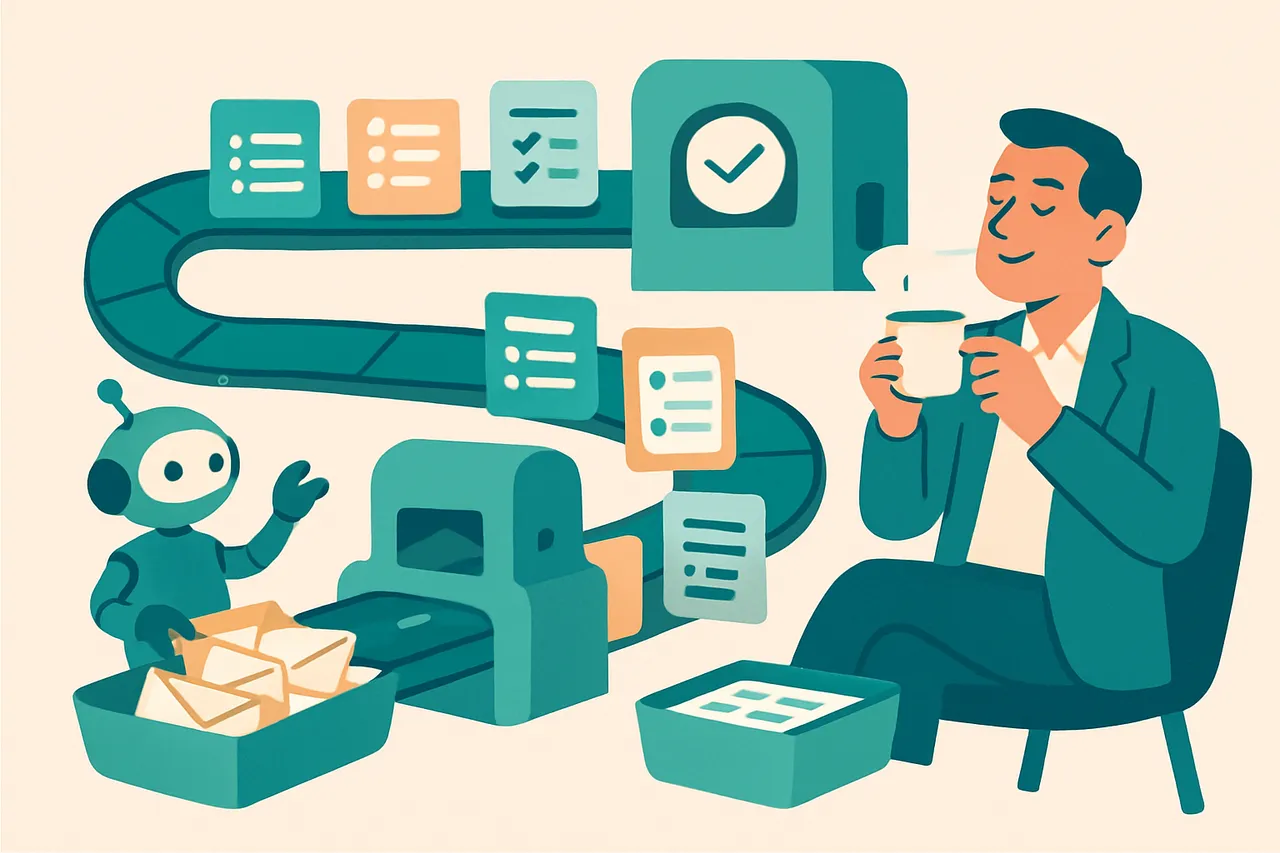
AI automation for small businesses is software that handles repetitive tasks for you, such as answering common questions, following up on quotes, and moving information between systems, while passing anything that needs judgement to a person. If you run a small business in the UK and feel like half your week disappears into the same handful of jobs, this is written for you. By the end you will be able to spot which tasks are worth automating, understand what it costs, and know how to tell whether it actually worked. We are a Manchester technology business that started at the repair bench and now builds these systems for clients every week, so this comes from doing it, not selling a dream.
What is AI automation for small businesses?
AI automation for small businesses is the use of software, often combining simple rules with artificial intelligence, to carry out repetitive business tasks automatically, around the clock, with a person involved only when human judgement is genuinely needed. It is not one product. It is a way of joining your tools together so that routine work happens on its own.
The useful mental model
In plain English, think of it as hiring a tireless junior assistant who never forgets, never sleeps, and never gets bored. You tell that assistant exactly which jobs to handle and exactly when to fetch a human. It does the predictable parts brilliantly and knows to tap you on the shoulder for anything it was not trained to deal with.
The chatbot on this site works the same way. It answers the obvious questions, captures the details, and hands a real enquiry to a real person.
Where the “AI” part actually matters
Plenty of useful automation involves no AI at all. A rule that copies a form submission into a spreadsheet is just plumbing, and plumbing is often enough.
AI earns its place when the input is messy: understanding what someone actually wants from a badly worded message, summarising a long email thread, pulling a job address out of a voicemail. That is the part that used to require a person to read it, and it is the part that got dramatically cheaper over the last two years.
How does AI automation work?
AI automation works by watching for a trigger, deciding what to do based on rules you set, and then carrying out an action across your existing tools. Here is the sequence in five steps.
- A trigger happens. Someone fills in a form, sends a message, misses a call, or a quote sits unanswered for three days.
- The system reads the information. It pulls out the useful parts: a name, a phone number, what the person actually wants.
- It decides what to do. Simple cases follow a set path. Trickier cases get flagged for a human. This boundary is the important part.
- It takes an action. Sends a reply, books a slot, updates your spreadsheet or CRM, or notifies you on your phone.
- It hands over when needed. Anything outside its remit goes straight to a person, with the context attached so you are not starting from scratch.
Step three is the whole job
Everything else on that list is mechanical. Step three, deciding what the software is allowed to handle alone, is where an automation either quietly saves you hours or quietly embarrasses you in front of a customer.
Get it right and you barely notice the system is there. Get it wrong and you spend more time correcting it than you saved. This is why we spend most of a first project on the boundary rather than the build.
So what does this mean for you? You set the rules once, and the routine work then happens consistently, whether you are on a job, in a meeting, or asleep.
What jobs does AI automation do well?
AI automation does best with high-volume, repetitive, rules-based tasks that drain time but rarely need real judgement. The table below shows where it tends to earn its keep for a typical small business.
| Task | What automation could do | Why it matters |
|---|---|---|
| Answering common enquiries | Reply instantly to “do you cover my area?”, “how much?”, “are you open?” | The business that replies first often wins the work |
| Following up on quotes | Send polite, timed reminders without anyone remembering to | Follow-up is where small firms leak the most revenue |
| Capturing missed contacts | Text back a missed caller or after-hours enquiry | Stops the customer ringing your competitor next |
| Moving data between systems | Copy enquiry details into your CRM or accounts | Removes pure friction and typing errors |
| Booking appointments | Offer available slots and confirm them automatically | Frees you from phone tag and double-bookings |
| Chasing unpaid invoices | Send polite reminders on a schedule you set | Recovers cash without the awkward phone call |
The pattern worth noticing
These are jobs you already do, badly or inconsistently, simply because there are not enough hours. That is exactly why automating one of them often pays back faster than any other technology spend a small business makes.
Start with one, not five
None of these need to be tackled at once. Mapping the tasks before building anything is what keeps a first project cheap and useful rather than a tangle of half-working tools. Two of them have services of their own because they come up so often: catching every enquiry and getting paid faster.
Why does AI automation matter for an SME?
AI automation matters for an SME because small teams cannot hire their way out of repetitive work, so removing it is often the only realistic way to grow without burning out. A larger company can throw staff at the problem. You usually cannot.
The speed advantage
There is also a speed advantage. In local services, the business that responds first very often wins the work, simply because the customer’s problem is urgent to them and the first useful reply feels like the answer. We have watched this play out repeatedly with clients, and it is the whole argument behind our post on what missed calls really cost. Automation lets a one-person business respond instantly, which used to be a luxury only big firms could afford.
The real win is attention, not money
But here is the thing. The biggest win is rarely the cost saving. It is getting your attention back, so the hours you do work go on the parts of the job only you can do.
We see this weekly. The owner who stops re-typing enquiries at 9pm gets an evening back, and the quotes that used to go cold now get chased automatically.
What does it cost to automate one job?
Honestly, less than most owners expect to run, and more than they expect to set up. The monthly cost is usually modest. The thinking is where the money goes.
The three costs
- Tools. Often nothing new. Most small firms already pay for a CRM, an email platform and accounting software that can talk to each other.
- Setup. The real cost, because it includes working out the boundary, writing the messages so they sound like you, and testing the awkward cases.
- Attention. A small ongoing check that it is still doing what you wanted, in the same way you would check a new member of staff.
The only test that matters
Whatever it costs, compare it to the hours it gives back and the work it recovers. If a setup saves two hours a week and catches one job a month you would otherwise have lost, the arithmetic is usually not close. If you cannot state that sum, you are not ready to build yet, which is precisely what our AI Opportunity Assessment is designed to work out before anyone spends money.
What AI automation is NOT
AI automation is not a replacement for running your business, and treating it as one is how firms embarrass themselves. It is worth being clear about the common misconceptions.
- It is not artificial general intelligence. It does not think, understand context it was never given, or make commercial decisions for you.
- It is not a way to remove humans. It removes repetitive tasks. The human decisions, the pricing, the contracts, the upset customer, stay with people.
- It is not “set it and forget it” forever. It needs sensible boundaries and the occasional check, like any new member of staff.
- It is not only for tech companies. Trades, clinics, salons and consultancies often benefit most, because their wasted time is so repetitive.
- It is not a magic fix for a broken process. If a process is chaotic, automating it just makes the chaos faster. Tidy it first.
The real skill is not wiring tools together. It is knowing where the boundary sits: which conversations a machine should start and a human should finish, and which decisions need an approval step. The next step beyond this, software that plans a sequence of actions rather than following a fixed path, is covered in our guide to AI agents.
What about data protection and security?
Any automation touches customer data, so the responsibilities that already apply to your business apply to it too. None of this is a reason to avoid automating. It is a reason to decide the rules at the start.
The three things to settle first
- What data the system sees, and whether it needs all of it. Most do not.
- Where that data goes, including any AI provider processing it on your behalf.
- Who can see the output, and how long you keep it.
The ICO’s guidance for small organisations is a clear, free starting point, its guidance on artificial intelligence covers the AI-specific duties, and the government’s data protection overview is the plainest summary of the basics.
Keep the new system secure
An automation is another door into your business. The NCSC’s Small Business Guide covers the fundamentals, and its briefing on AI and cyber security is worth ten minutes before you connect anything to a live inbox. If certification matters for your contracts, our Cyber Essentials service covers that side.
How should a small business start with AI automation?
Start with the single task your team repeats most often, automate just that one, and measure the hours it gives back before doing anything else. Do not start with the technology.
The list that decides it
Make a list of every task last week that felt like Groundhog Day. Rank them by hours spent. The top three are almost always some mix of answering enquiries, chasing something, or re-typing something. Pick one and automate it properly.
How you know it worked
Decide the measure before you build, and keep it embarrassingly simple: hours back per week, enquiries answered within five minutes, quotes chased without anyone remembering. If you cannot see a difference after a month, stop and change it. An automation nobody can point at is one nobody will maintain.
To see where automation fits alongside everything else changing in the field, our Story of AI hub puts it in context, and our workflow automation service is where this becomes a project rather than an article.
If you would like a hand working out which of your weekly jobs is worth automating first, talk to us. We will tell you honestly if automation is not the right fit, because that happens too.
Frequently asked questions
What is AI automation for small businesses?
It is software that carries out repetitive business tasks on its own, such as answering common enquiries, chasing quotes and moving details between systems, while handing anything that needs judgement to a person. It is a way of joining your existing tools together, not a single product you buy.
Do I need technical skills to use AI automation?
No. Most small business automation is set up once by someone who knows the tools, then runs quietly in the background. What you do need is a clear view of which task you want handled and what the system is allowed to decide on its own.
How much does AI automation cost a small business?
It varies with what you automate, but most small setups run on tools the business already pays for plus a modest monthly subscription. The cost that matters is the setup, and the test is whether the hours it gives back are worth more than what it costs to run.
Will AI automation replace my staff?
Not in a small business. It removes repetitive tasks, not roles. The judgement calls, the pricing, the difficult customer and the relationships stay with people. What usually changes is that your team stops spending evenings on admin.
What should a small business automate first?
Whichever task you repeat most often and dislike most. For most service businesses that is answering the same enquiry, chasing an unanswered quote, or re-typing details from one system into another. Start with one, measure it, then move on.
What if the automation gets something wrong?
That is why the boundary matters more than the technology. A good setup handles the predictable cases and escalates anything unusual to a person, with the context attached. You decide where that line sits before anything goes live.
Read next
-
AI & automation
How Missed Calls Cost Business: The Real Price (2026)
-
AI & automation
AI Agents Explained: From Answers to Actions (2023–2026)
-
Running the business
AI Costs for Small Business: Why AI Got So Cheap