
Case studies
How We Turned a Chaotic Shared Inbox Into a Calm, Sorted Workflow
Eighty-three unread emails every morning. Here is the AI triage layer we added to our shared inbox to read, classify and route every message automatically.
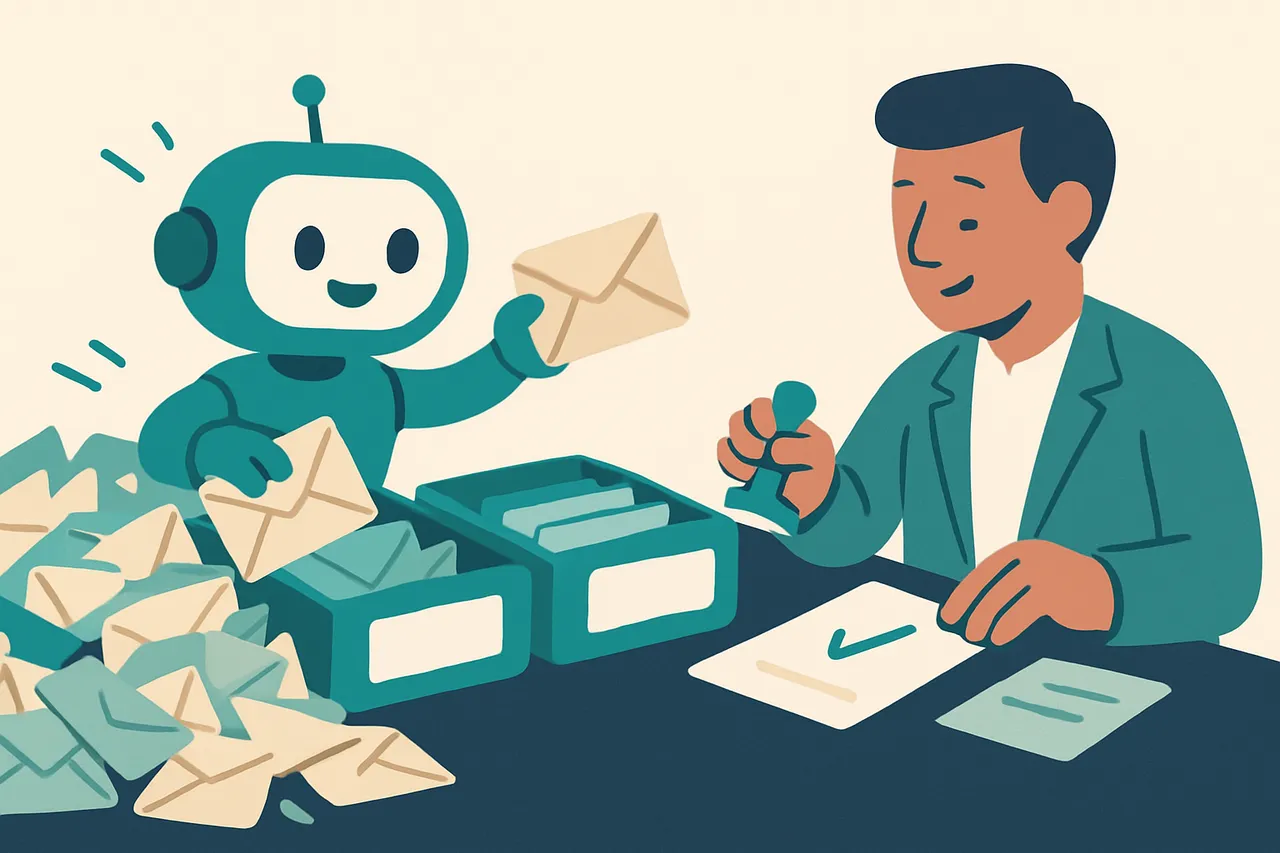
It was 9:47 on a Tuesday morning and our shared inbox had 83 unread messages. Customer enquiries, supplier invoices, automated notifications from marketplaces and our payment processor, a few newsletters nobody had got round to unsubscribing from, and buried somewhere in that pile, a repair request from a customer who had been waiting since the previous afternoon.
We found it eventually, but only after three of us had opened the same threads, checked whether they were urgent, and moved on. That was not a bad day. That was every day. This is what we built instead, what it changed, and what we got wrong on the way. We are a Manchester technology business that started at the repair bench, so this is our own mailbox, not a client’s.
Why does a shared inbox turn into a bottleneck?
A shared inbox is meant to make collaboration easier. In practice it creates a new kind of chaos, because ownership is ambiguous and the cost of that ambiguity is paid three times over.
Everyone reads everything
When nobody owns a message, everybody checks it. Three people opening the same thread to decide it is not theirs is not a small inefficiency, it is the same work done three times, every morning.
Important messages hide in plain sight
The customer waiting since yesterday was not ignored deliberately. Their email simply sat below newer ones with louder subject lines. Nothing in the inbox distinguished a person waiting for a quote from an automated stock notification.
The pressure to check constantly
Because anything might be urgent, everything gets checked. That produces a culture of opening the inbox every few minutes, which is exactly the behaviour that makes the working day feel fragmented.
What does “triage” actually mean here?
Triage comes from emergency medicine. When patients arrive, a trained nurse assesses each one and assigns a priority. The goal is not to treat everyone instantly, it is to get the right people to the right cases in the right order.
Sorting by meaning, not by sender
Email triage works the same way. Something reads the subject, the body, the sender and any attachments, then decides what the message is and what it needs. The difference from an ordinary filter is context: a rule can sort by sender or keyword, but it cannot tell “your order has shipped” from “your payment failed”, and it cannot spot that an email titled “Quick question” is urgent because of who sent it.
The two problems it solves
There are really two kinds of inbox chaos, and they need different answers.
Volume chaos is simply too much arriving. The fix is filtering: archive the automated notifications that need no action, batch the low-priority updates into something you read once a day, and unsubscribe from what nobody opens.
Context chaos is harder and more expensive. It happens when every message looks equally urgent because you lack the information to rank them. An email from a supplier titled “Update” might be a price change, a stock shortage or a newsletter. Without opening it you cannot know, so you open everything just in case. That is the cognitive load triage removes.
How did we build it?
We did not replace the inbox. We added a layer of intelligence on top of the one we already had, which is the pattern we recommend for almost any workflow.
Connecting to the mailbox
The system connects over IMAP, the standard protocol for reading a mailbox programmatically, secured with TLS. Most business providers support it, including Microsoft 365 and Google Workspace, though both now prefer modern authentication over passwords, and Google requires an app-specific credential rather than your account password.
It only ever touches new messages. Anything already processed is left alone, which keeps the workflow clean and stops the same email being handled twice.
Classifying each message
Every new message is read and sorted into one of six categories: customer enquiry, supplier invoice, order notification, automated alert, newsletter or marketing, and spam or misdirected mail.
A language model does the reading and matching against those categories. It is not inventing judgement, it is applying definitions we wrote. An email mentioning a screen replacement and asking what it would cost is a customer enquiry. A PDF attachment with payment terms and an amount due is a supplier invoice.
The confidence threshold does the real work
Each classification carries a confidence score. Above our threshold the system acts on its own. Below it, the message is flagged for a person to look at.
That single setting is what makes the difference between a system you trust and one you have to double-check. It is the same principle as the approval queue in our quoting workflow: automate the obvious, escalate the uncertain.
Where does each type of message go?
Classification is only useful if something happens next. Each category triggers its own routing.
| Category | What happens automatically | Where a human comes in |
|---|---|---|
| Customer enquiry | Logged as a ticket, assigned to the support queue, acknowledgement sent | Writing the actual reply |
| Supplier invoice | PDF extracted and filed, supplier, amount and due date logged | Approving payment |
| Order notification | Checked against the sales record, new orders added to fulfilment | Only if something does not reconcile |
| Automated alert | Archived when normal | Flagged and forwarded when it reports a fault |
| Newsletter or marketing | Moved to read later; unsubscribe suggested if unopened for 30 days | Deciding whether to keep it |
| Spam or misdirected | Moved to junk, deleted after seven days | Nothing, unless misclassified |
The acknowledgement matters more than it looks
The automatic acknowledgement on customer enquiries is the smallest piece of this and one of the most valuable. It tells the customer their message arrived and someone is coming. That alone stops the follow-up email asking whether we got the first one, which is its own source of inbox volume.
The morning digest
Every morning the team gets a summary: how many messages were processed, what went where, anything flagged for review, and the enquiries that need a reply today. It takes about two minutes to read and it replaces opening the inbox and scrolling.
What changed?
We have been running this for several months. The honest summary is that the time saving is real and the calm is bigger.
| Before | After | |
|---|---|---|
| Inbox sorting per day | About 90 minutes across the team | About 20 minutes |
| Finding an urgent enquiry | Scrolling and hoping | Flagged in the digest |
| Same thread opened by | Up to three people | One, the person it was routed to |
| Response to customer enquiries | Often hours | Usually well under half a day |
What we can and cannot claim
Those figures are ours, measured against our own before-and-after, and they are specific to a small team with a busy shared mailbox. We are not going to dress them up as a benchmark. What we will say is that we have not lost a customer enquiry in the inbox since, which was the thing that actually worried us.
The unexpected benefit
The biggest change was not the minutes saved. It was that the system removed the pressure to check constantly, because anything genuinely urgent gets flagged. That matters more than it sounds: a randomised trial of 124 adults by Kushlev and Dunn at the University of British Columbia found that people who limited themselves to checking email three times a day reported significantly lower stress than when they checked without limit. Triage is what makes checking less feel safe rather than reckless.
What did we get wrong?
Four things, and they are the part worth reading if you are going to build this.
We started with too many categories
The first version tried to account for every possible email, which meant the model was constantly uncertain and flagged almost everything. Fewer, broader categories worked far better. We stopped trying to separate “repair quote request” from “general enquiry” and let the routing make the finer distinction later. Six categories turned out to be the sweet spot.
We chased accuracy when we should have chased calibration
We spent too long trying to make the classifier right every time. That was the wrong goal. What matters is not whether it is always right, it is whether it knows when it is unsure. A system that handles most messages confidently and admits doubt on the rest is far more useful than one that guesses at everything and is quietly wrong now and then.
We underestimated the edge cases
A customer replying to an old invoice thread with a new repair request. A supplier sending an invoice and a stock update in one message. These will always exist. The goal is not to automate every email, it is to automate the predictable majority so people have time for the awkward remainder.
We nearly automated away a phishing check
This is the one that could have hurt. An inbox triage layer that files things automatically is also a system that can quietly move a convincing fake invoice into your accounts workflow. Payment redirection fraud usually arrives as an ordinary-looking email from a supplier you know, so anything touching payment details needs a human, always. The NCSC’s guidance on spotting and reporting phishing is the right briefing for whoever reviews that queue, and its Small Business Guide covers the basics around the system itself. If this is a live worry for you, it is what our stop scam and fraud service exists for.
What about the data protection side?
A shared mailbox is full of personal data, so pointing an AI at it is a data protection decision before it is a technical one.
Three things to settle first
Decide what the system is allowed to see, where that data is processed and by whom, and how long anything it extracts is kept. Write the answers down before you connect anything, because retrofitting them afterwards is far harder.
The government’s data protection overview is the plainest summary, the ICO’s advice for small organisations is written for businesses without a legal department, and its guidance on artificial intelligence covers the AI-specific duties. The wider regulatory picture is in our plain-English AI regulation timeline.
How could you build the same thing?
You do not need to be a software company, and you should not start with the technology.
Define your categories first
List the kinds of email you actually receive and group them until you have six to eight. For each, write down what makes it recognisable and what should happen to it. That document is the system. Everything else is plumbing.
Pick tools that fit your team
If you are comfortable with code, a mailbox connection, a language model and a small routing script will do it. If you are not, shared inbox products and no-code automation platforms cover most of this without a developer. Start with one category, usually customer enquiries, and get that working before expanding.
Review everything at first, then less
Check every classification for the first few weeks and correct what is wrong. Look for patterns rather than individual errors. One of our suppliers kept being read as marketing because of their template; a few corrections fixed it for good.
Measure four things
Time spent on the inbox each day, response time to customer enquiries, messages missed or delayed, and how often the classifier is wrong. If you cannot see those numbers move, the system is not earning its place.
The bigger point: inside your workflow, not on top of it
The most useful AI is rarely the kind that replaces what you do. It is the kind that sits inside a process you already have and makes it smarter.
We did not build a new inbox. We added a layer to the one we already had, and taught it to route messages into workflows that already existed. That is less impressive to demonstrate and far more likely to survive contact with a busy Tuesday.
It is the same shape as every other automation worth building: read, classify, route, surface, and leave the deciding to a person. That is the pattern behind what AI automation can actually do, and the reason it is affordable at all is covered in why AI got cheap.
Where we are taking it next
The same principle is going into stock monitoring, where the system watches supplier feeds for pricing anomalies, and into follow-up, where it spots customers who have gone quiet and suggests when to reach out. Each one reads, classifies and surfaces. A person still decides.
If your inbox is the bottleneck, the fix is not working harder at it. It is deciding what should never have needed your attention in the first place. That is the work we do through our workflow automation service and our never miss a customer setup, and if you want the wider view of where the biggest gain sits in your business, that is what an AI Opportunity Assessment produces. Otherwise, just tell us what your mornings look like.
Frequently asked questions
What is AI email triage?
It is a layer that reads each incoming message and decides what it is and where it should go, before a person opens the inbox. Unlike a keyword filter it works on meaning, so it can tell a failed payment from a shipping notice even when the wording is unusual.
How is this different from ordinary email rules?
Rules match on sender or subject text and break the moment either changes. Triage reads the body and works out intent, so it copes with an email titled 'Quick question' that is actually an urgent complaint from your largest customer.
Does the AI reply to customers on its own?
No. It classifies and routes, and sends a simple acknowledgement so the customer knows the message arrived. Anything that needs a decision or a real answer goes to a person, and anything it is unsure about is flagged rather than guessed at.
What happens when it classifies something wrongly?
It gets corrected and the correction feeds back in. We reviewed every classification manually for the first few weeks. One supplier kept being read as marketing because of their template, and a few corrections fixed it permanently.
Do you need to be a developer to build this?
Not any more. The hard part is defining your categories and deciding what each one should trigger. Shared inbox products and no-code automation platforms can cover most of it, and the thinking transfers whichever tool you use.
Is it safe to let AI read a mailbox full of customer data?
It can be, but it is a data protection decision before it is a technical one. Decide what the system may see, where that data is processed, and how long anything is retained, and write it down before you connect anything.
Read next
-
-
AI & automation
What Can AI Automation Actually Do? A Plain-English Guide
-
AI & automation
How Missed Calls Cost Business: The Real Price (2026)