PSU Click and System Reset in Cyberpunk 2077 on an RTX 5090 Build: How to Diagnose and Fix It
Understanding the Symptom: What the Click Actually Means
A single click from a PSU at power-on or shutdown is completely normal. Most modern power supplies use an inrush-current bypass relay, and you will often hear it actuate when the PC starts or stops. That is expected behaviour and nothing to worry about.
What is not normal is a click that happens during gameplay and coincides with the system either hard-resetting or cutting power entirely. If your PC then refuses to come back on until you physically cut AC power by switching off the PSU or pulling the plug, that is a strong sign that a protection latch has been triggered.
The be quiet! Dark Power 14 is explicit on this point. It states that if a PSU safeguard trips, the system will typically reboot or power off, and you should check the PC for errors immediately.
On the Windows side, these events usually appear in Event Viewer as Kernel-Power, Event ID 41. Microsoft describes this as Windows rebooting without a clean shutdown, caused by things like power loss, a forced power-off, or a fault that prevents Windows from shutting down gracefully. Microsoft also lists an underpowered or faulty PSU as one of the possible causes.
If you are seeing an audible click, a sudden reset or power-off, and a hang that requires a manual AC cut to recover, that combination points strongly to a power delivery protection trip rather than a standard game crash or driver fault.
Why Cyberpunk 2077 Triggers This When Other Games Don't
Cyberpunk 2077 is particularly good at provoking fast, sharp power transitions on high-end GPUs. Path tracing, frame generation, and the way the game shifts between dense combat scenes, menus, loading screens, and fast travel all create highly variable workloads that cause the GPU to swing rapidly between low and high power states.
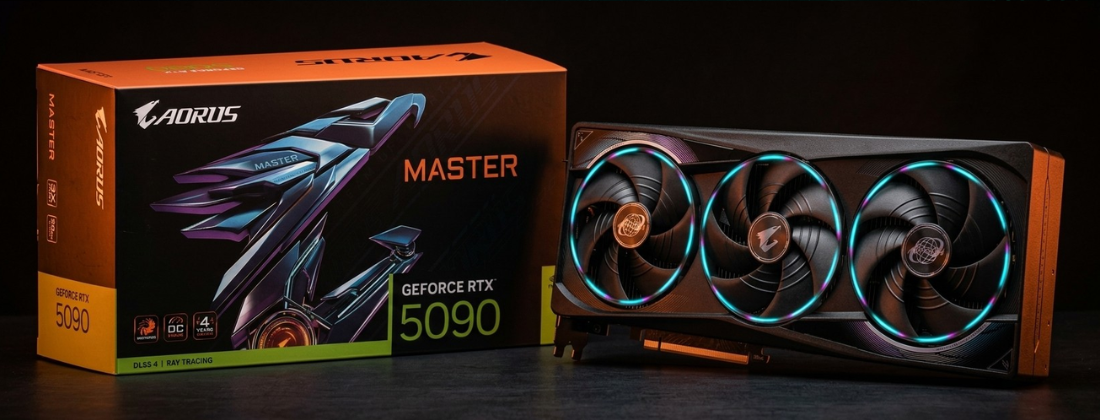
On an RTX 5090, Tom’s Hardware has measured power spikes of up to around 659W during Cyberpunk gameplay, using real-time inline measurement. That is well above the 575W Total Graphics Power figure listed in the official specs, and it reflects how transient peaks can exceed nominal ratings even in a well-configured system.
The ZOTAC RTX 5090 is rated at 575W power consumption, uses a single 12V-2×6 input, and carries a 1000W recommended PSU guidance. NVIDIA similarly lists 1000W as the required system power in its reference specifications, though it notes these figures are configuration-dependent.
The important thing to understand here is that average draw is not the whole story. Rapid swings during scene transitions, loading screens, and the start of a GPU-heavy sequence can produce sharper transient behaviour than a steady benchmark ever will. This is why many users report that their system passes stress tests without issue but crashes at specific moments in a single game.
Stress test stability does not rule out a transient protection trip. The failure mode here is about peaks and timing, not sustained load.
Why This Can Still Happen on a 1200W PSU
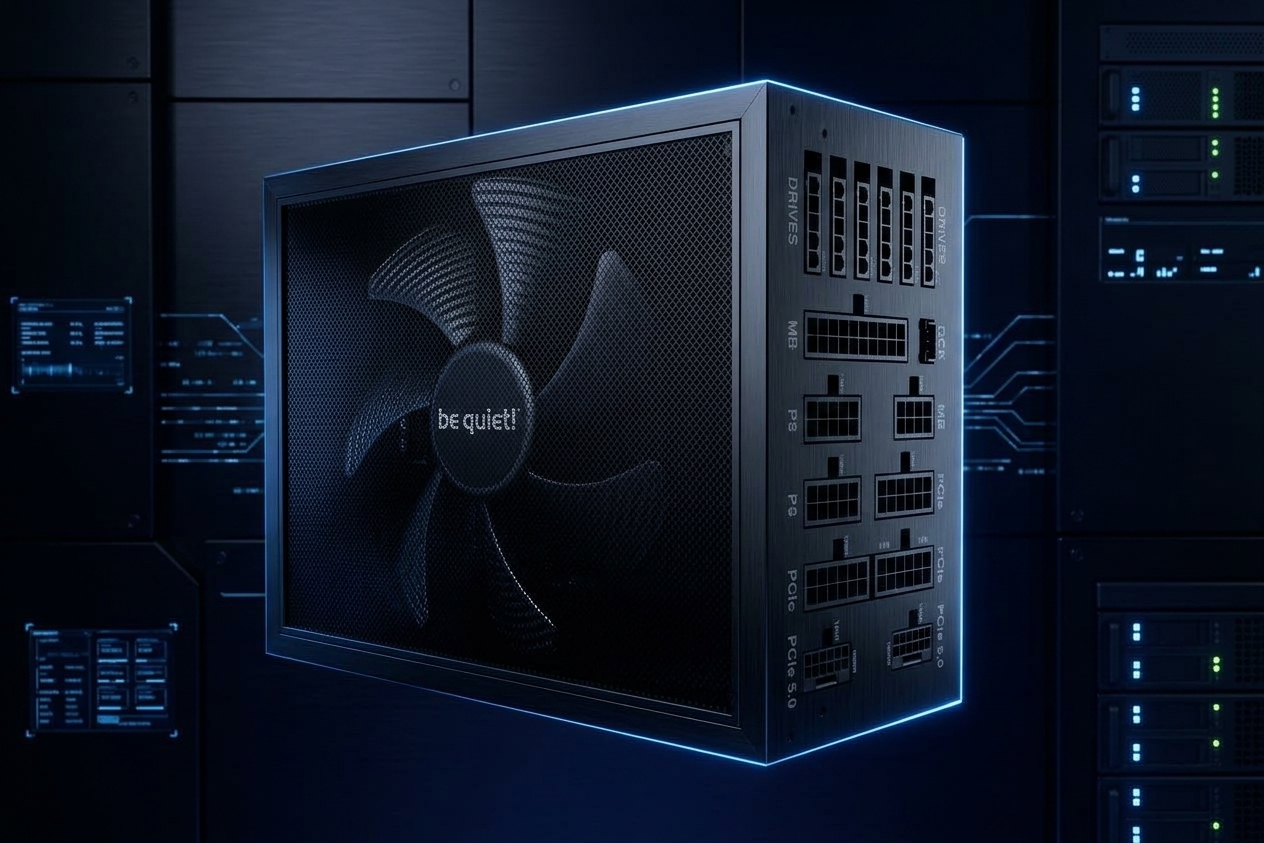
The be quiet! Dark Power 14 1200W is not a low-quality or underpowered unit. It is built for modern high-end systems, supports ATX 3.1 and PCIe 5.1, and includes two native 12V-2×6 connectors. On paper, it should be more than sufficient. So why can it still trip?
Multi-Rail Protection and Transient Behaviour
The Dark Power 14 uses multi-rail 12V protection by default. This means the 12V output is split across four independent rails, each with its own current limit. On the 1200W model, those limits are 33A, 33A, 45A, and 45A across 12V1 through 12V4, with the PCIe and PCIe 5.1 connectors associated with the higher-current 12V3 and 12V4 rails.
Multi-rail designs add an extra safety layer by capping current per rail. The downside is that a very spiky load can trip OCP (overcurrent protection) or OPP (overpower protection) even when the total available power is well within the PSU’s rated capacity. This can happen when the GPU, CPU, and motherboard VRMs all ramp simultaneously during a sharp scene transition.
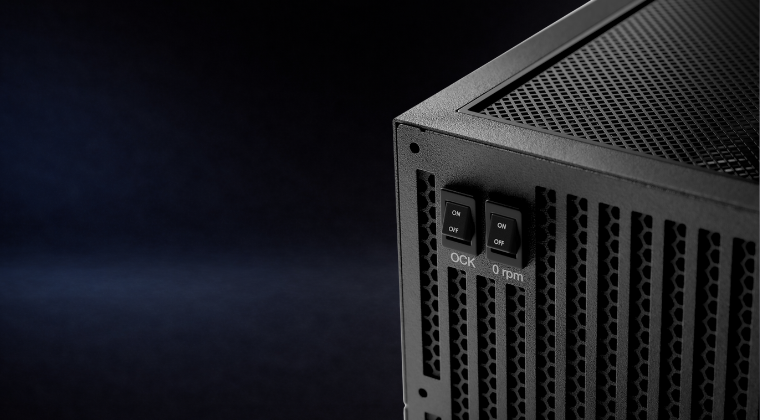
The PSU does include an Overclocking Key function (OCK) that switches it from four independent rails into a single combined 12V rail. This is specifically designed to give more headroom for extreme GPU loads, and the manual is clear about how to use it: only press OCK when the power supply is switched off.
ATX 3.1 and Instantaneous Peak Power
The move to ATX 3.0 and ATX 3.1 was driven in part by the recognition that modern GPUs can briefly exceed their rated TDP by a significant margin. The ATX 3.1 specification requires PSUs to handle instantaneous peak power at 200% of rated load for up to 100 microseconds. So while ATX 3.1 units are designed with this in mind, a specific combination of hardware, game, and cable routing can still land on a protection threshold, particularly if any compounding factor is present.
A 1200W PSU tripping protection does not necessarily mean it is faulty or undersized. It can mean a specific transient pattern is briefly touching a protection threshold. The fix is usually configuration, not replacement.
What Community Reports Tell Us
Forum and Reddit posts are not controlled tests, but they are useful for spotting patterns. Across multiple threads, a few things come up repeatedly.
- Power-offs that happen with no BSOD, just an instant cut.
- Stability in stress tests but failures during game-specific transitions.
- Failures at loading screens, menu navigation, or the start of a heavy scene.
- GPU rail power spikes observed in monitoring tools at the moment of failure.
One thread on r/bequietofficial specifically discusses the Dark Power 14 1200W paired with an RTX 5090, describing sudden shutdowns with a monitored GPU rail power spike of 731W. A separate report on a German hardware forum describes a reproducible instant power-off at a specific high-transient scene transition, with all other demanding games remaining stable, interpreted by the user as a protection edge case.
These are anecdotal, and individual cases vary. But the pattern they describe is consistent with what the technical picture suggests: a sharp transient meeting a protection threshold at a specific moment.
A Practical Troubleshooting Sequence to Work Through
The approach here is to remove the most likely stacked causes first, then narrow down whether you are dealing with a protection edge case or a genuine hardware fault.
Step 1: GPU Power Cabling and Connector Seating
The 16-pin connector ecosystem used by RTX 5090-class GPUs is unforgiving of partial insertion and tight cable bends. This is the first thing to check.
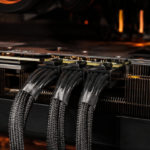
- Use the native PSU cable. The Dark Power 14 1200W ships with native 12V-2×6 cables designed for PCIe 5.1 GPUs. Use that cable directly rather than an adapter where possible. If you are using the bundled multi-8-pin adapter from ZOTAC, each 8-pin plug must connect to a separate PCIe power source on the PSU. Do not use a single pigtail output for two plugs. Our guide on daisy-chain PCIe power cables covers this in detail.
- Check bend radius. The Dark Power 14 manual explicitly states the PCIe 5.1 cable must not be bent within 40mm of the connector, and must not be bent horizontally close to the connector head. Both of these can cause intermittent contact issues under load.
- Do not mix modular cables. Modular pinouts vary between PSU models and manufacturers. Only use the cables that came with your Dark Power 14.
Step 2: Enable OCK Single-Rail Mode
Because the symptom closely matches a protection trip during transients, switching to single-rail operation is one of the most effective things you can do.
OCK groups all four 12V rails into one, removing the per-rail current caps that can trip under sharp GPU spikes. To change it, switch the PSU off at the rear and wait a few seconds before pressing OCK. Do not change it while the system is powered on.
Step 3: Disable Semi-Passive Fan Mode as a Control Variable
The Dark Power 14’s 0 RPM mode keeps the fan off at low and medium loads. This is not the most likely cause of your issue, but it is worth ruling out. With the fan off under sustained high load, PSU temperatures inside the unit rise a little higher before the fan spins up. Setting 0 RPM to off so the fan runs continuously removes this as a variable.
Step 4: Apply a Temporary GPU Power Limit
This step is specifically designed to test the hypothesis. If reducing the peak demand by a small amount stops the resets, you have confirmed that transient spikes are the cause.
- Set GPU power limit to 90% in your GPU control software.
- Run Cyberpunk 2077 through the specific scenes or transitions that usually trigger the reset.
- If it still happens, try 80% temporarily.
- If the resets stop, you know this is a transient protection threshold issue, not a random fault.
A user on r/buildapc reported resolving hard shutdowns on an RTX 5090 specifically by applying a 10% power limit reduction, which aligns with this explanation. The real-world FPS loss at the very top end is often minimal.
Step 5: Check Motherboard Power-Saving Settings
If you are running a ROG Crosshair X870E Hero or similar X870 platform board, your BIOS exposes Global C-state Control. Deep CPU idle states and aggressive PCIe power management like ASPM can worsen the sharpness of load transitions in some edge cases.
This is not a permanent recommendation to disable these features. It is purely a diagnostic step. Disabling Global C-states and PCIe ASPM temporarily removes one compounding variable while you isolate the root cause. Re-enable them once stable.
Step 6: Validate Your Wall Power Connection
The Dark Power 14 manual includes a direct instruction on this: connect the PSU directly to a wall socket, not to an outlet power strip. This is listed as a standard requirement, not an edge case warning.
For troubleshooting, connect the PC directly to a known-good wall socket and avoid sharing it with other high-draw devices. Voltage sag on a shared strip under load is a frequently overlooked factor.
Work through these steps in order. Cabling and connector seating first, then OCK mode, then the power limit test. Most cases are resolved before you reach the BIOS or wall power steps.
When to Escalate: Three Likely Outcomes
Once you have worked through the steps above, you will usually land in one of three places.
Outcome 1: A Small Power Limit Fixes It
If setting the GPU to 90% or 80% eliminates the resets, that strongly confirms a transient spike meeting a protection threshold. The PSU is not defective and neither is the GPU. You have found an edge case in a specific hardware combination under a specific game workload.
From here, you can either keep a small power limit as a long-term workaround (the performance difference at the very top end is often within the margin of error), or continue investigating cable routing and OCK mode to see if you can recover full power limit stability.
This also explains why the “1200W should be enough” logic does not always hold in practice. Vendor recommendations are based on typical sustained loads. Transient peaks in a game like Cyberpunk 2077 can push into edge cases that the average figure does not capture.
Outcome 2: It Still Trips at Reduced Power
If you have correct cabling, OCK enabled, direct wall power, and a reduced power limit and it is still resetting, the focus shifts to connector or cable fault checks, and then to PSU or GPU compatibility escalation.
If you notice any discolouration, deformation, or unusual smell at the 16-pin connector on the GPU, stop testing immediately and contact your GPU vendor. Do not continue running the system. Connector safety takes priority over further diagnosis.
Outcome 3: The Only Real Fix Is More Headroom
For some RTX 5090 builds, the transient behaviour of the GPU in specific games simply sits at the edge of what a 1200W unit can handle without touching protection thresholds under a worst-case spike. ASUS’s published PSU recommendation table lists 1200W for an RTX 5090 paired with an AMD Ryzen 9 class CPU, so your current PSU is already in the right range. But if the specific transient pattern of your build keeps landing on a threshold, moving to a higher-wattage PSU removes the edge case entirely. Community reports include cases where switching PSU models stopped the behaviour when nothing else did.
Summary: What to Do Next
If you are getting a click and a hard reset in Cyberpunk 2077 on an RTX 5090 build, work through the following in order.
- Re-seat the 12V-2×6 cable on both ends. Check that it is fully clicked in and that the cable is routed with no tight bends within 40mm of the connector head.
- Confirm your cable strategy. Use the native PSU cable where possible. If using an adapter, ensure each 8-pin plug has its own dedicated PCIe output from the PSU. No pigtail or daisy-chained splits.
- Enable OCK single-rail mode. Switch the PSU off first, then press OCK. This is the single most targeted step for this specific symptom.
- Disable 0 RPM mode temporarily. Run a few Cyberpunk sessions with the fan always on to rule out a PSU thermal edge case.
- Apply a 90% GPU power limit and retest. Run the exact scenes or transitions that usually cause the reset. If it stops, try restoring the limit incrementally to understand your actual threshold.
- Temporarily disable Global C-states and PCIe ASPM in BIOS as a diagnostic step if the above has not resolved it.
- Connect directly to the wall. No power strips, no shared circuits with other large loads.
If you have done all of the above and the resets continue at stock GPU settings with correct cabling and direct wall power, treat this as an escalation case. Collect HWiNFO logs with timestamps and a clear description that the protection click coincides with the reset, and raise it with your PSU or GPU vendor as appropriate.
The most common resolution for this specific symptom pattern is OCK single-rail mode combined with correct cable seating. Start there before anything else.