be quiet! Dark Perk Review: Ergo vs Sym, 8,000 Hz Wireless, and What You Actually Need to Know
What Is the be quiet! Dark Perk and Why Does It Matter?
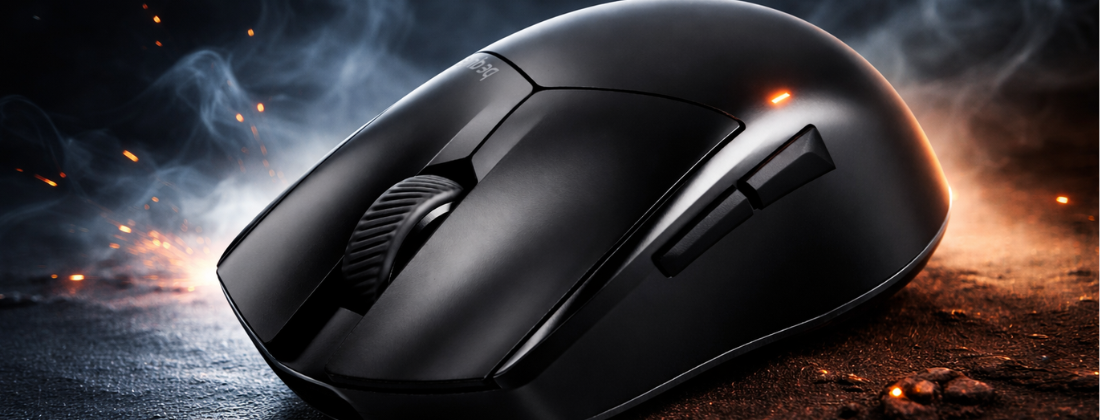
be quiet! is best known for PSUs, cases, and cooling. So launching a gaming mouse is a genuine step into new territory. The Dark Perk range is their first dedicated gaming mouse lineup, and it launched on 3 February 2026 after being shown at Computex 2025 and previewed at CES in Las Vegas on 6 January 2026.
There are two variants: the Dark Perk Ergo and the Dark Perk Sym. They are not a budget and premium tier. Both sit on the same hardware platform, with the same sensor, switches, wireless technology, and polling rate. The only real difference is shape, which is exactly how it should work for a serious competitive mouse lineup.
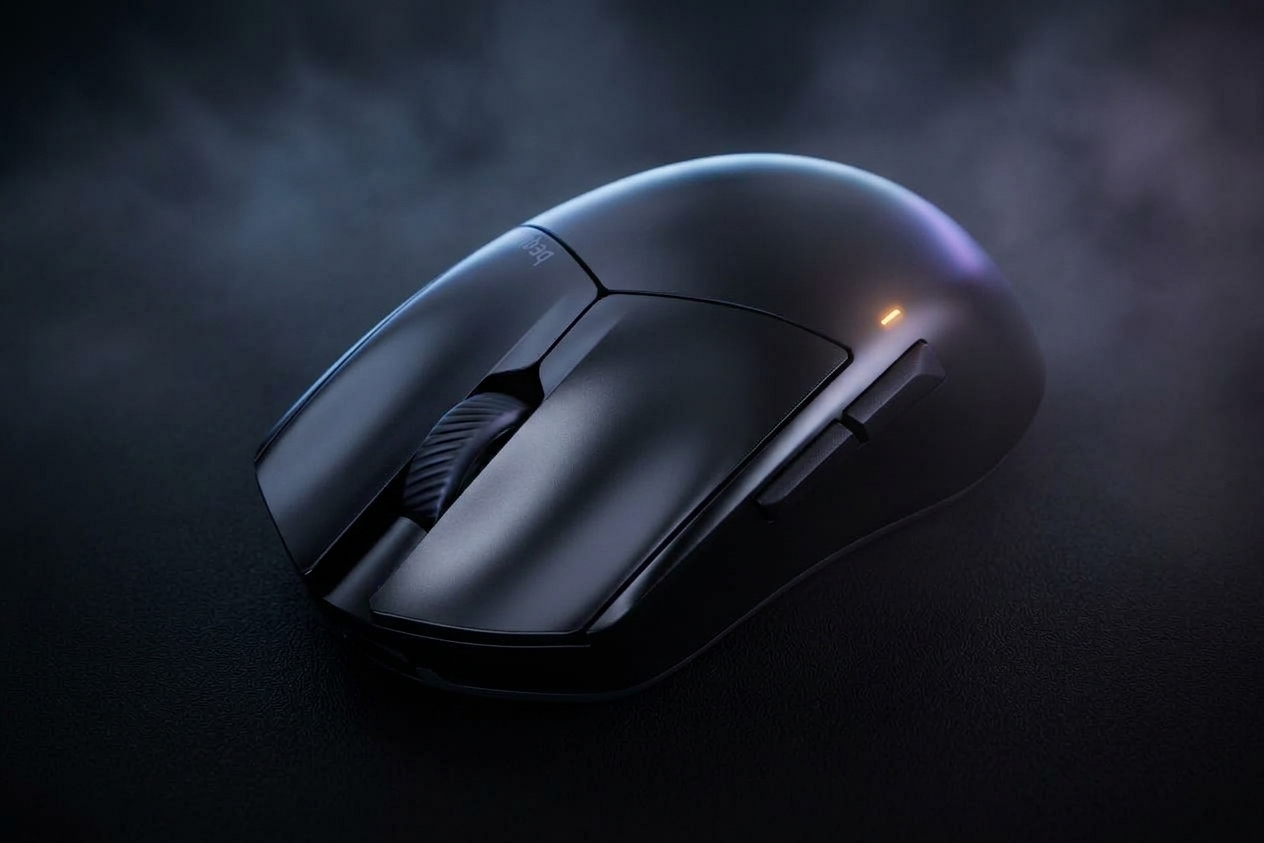
The core proposition is straightforward. A 55g ultralight shell, a flagship PixArt sensor, wireless polling up to 8,000 Hz, and long battery life at sensible polling rates. No RGB. No Bluetooth. No feature bloat. Just a clean, performance-focused mouse in two ergonomic options.
If you are already familiar with the specs and just want to know which shape to pick, jump to the Sym vs Ergo section below. That is the most important decision you will make.
Sym vs Ergo: Which Shape Should You Buy?
This is genuinely the most important question with the Dark Perk range, and it is worth spending real time on before you order.
Dark Perk Sym
The Sym has a symmetrical shell. It works for right-handed and left-handed users, though the two side buttons are positioned for a right-handed thumb, so left-hand use is functional but not ideal. The symmetrical shape suits a wider range of grip styles, including claw, fingertip, and a relaxed palm on smaller hands.
Dimensions: 123 x 66 x 39 mm.
Dark Perk Ergo
The Ergo is a sculpted right-handed design with a raised profile and side button placement built around a thumb-side grip. It is designed specifically for right-handed users. Dimensions: 120 x 66 x 39 mm. The length difference is just 3mm, but the profile shape is noticeably different in hand.
What real buyers are saying
Early community feedback reflects what experienced mouse buyers already know: shape comfort is highly personal. One buyer who tried both reported that the Ergo did not suit their relaxed claw grip on 18×9 cm hands, with pinky discomfort being the main issue, while the Sym felt natural and became their daily competitive mouse. Reviews also note that the Dark Perk range overall sits on the compact side, which may not suit larger hands regardless of shape.
If you are between the two and unsure, the Sym is the safer starting point for most grip styles. The Ergo is worth choosing only if you specifically prefer a sculpted ergonomic shell and play right-handed with a palm or semi-palm grip.
Sensor, Polling Rate, and What the Specs Mean in Practice
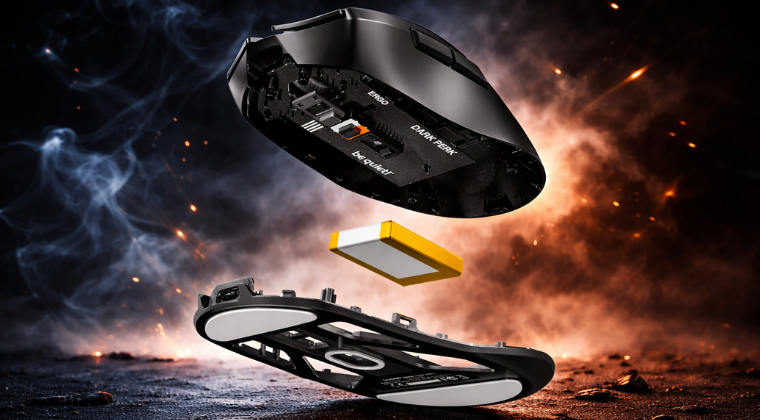
Both Dark Perk variants use the PixArt PAW3950 sensor with a maximum DPI of 32,000 and a lift-off distance of 1 to 2 mm. The PAW3950 is a flagship-grade sensor. In daily use, most competitive players run DPI well below the 32,000 ceiling. What matters more is consistency and accuracy at your chosen DPI, and the PAW3950 delivers on both.
Lift-off distance of 1 to 2 mm is a practical spec for competitive shooters. A low lift-off distance means the sensor stops tracking quickly when you lift the mouse, which reduces unwanted cursor movement when you re-centre during play.
8,000 Hz polling: genuinely impressive, but situational
The headline polling rate is 8,000 Hz, which equates to a 0.125 ms report interval. Importantly, this is available wirelessly, not just over USB-C. That is still not universal in the market, and it is a genuine differentiator.
That said, the practical benefit of 8,000 Hz over 1,000 Hz is only meaningful at very high frame rates and in latency-critical competitive scenarios. Most players will not feel a difference in daily use. The more significant trade-off is battery life. At 8,000 Hz, battery drops to under around 20 hours. At 1,000 Hz, you get up to 110 hours. That is a substantial difference.
Our recommendation: start at 1,000 Hz for everyday use and solid battery life. Move to higher polling rates only if you are playing competitively at high frame rates and are happy to charge more frequently.
Wireless architecture
Connectivity is 2.4 GHz RF wireless plus USB-C wired. There is no Bluetooth option. The 2.4 GHz implementation uses a Nordic Semiconductor nRF54H20 MCU, and early user reports confirm stable wireless performance even in setups with multiple 2.4 GHz devices running simultaneously.
Click Feel, Sound Profile, and Build Quality
Both Dark Perk mice use optical Omron D2FP-FN2 switches on the main buttons. Optical switches register on light interruption rather than physical contact, which removes the mechanical debounce delay you get with standard switches. The result is fast response and a more muted sound profile compared to most gaming mice.
How quiet are the clicks, really?
Reviewers broadly describe the main button clicks as restrained rather than loud. One review calls them pleasantly quiet. Another notes they are quieter than many gaming mice but perhaps not as quiet as the brand name might lead you to expect. This is fair and worth being upfront about. The Dark Perk is not a silent mouse in the way that specifically marketed silent mice are. It is quieter than average, particularly on the main buttons.
Community threads have also raised questions about click acoustics on individual units, including one report of a resonant sound on button release. Replies from other users suggested that a crisp optical switch sound is normal behaviour. If you receive a unit and the click feel seems genuinely wrong rather than just different, be quiet!’s support team is the right first contact.
Build quality and coating
At 55g, the Dark Perk is light but not fragile. Multiple reviews mention the soft-touch matte coating positively, with one calling it superbly grippy and noting that many competitors have moved away from this type of finish. The coating helps with control during longer sessions and does not feel slippery even when hands are slightly damp.
The PTFE glide skates have rounded edges, which reduces the chance of catching on a mousepad surface. Early community feedback also shows interest in aftermarket full-size skates, particularly for softer pads where dot skates can feel inconsistent. This is a known consideration in the enthusiast mousepad ecosystem rather than a flaw specific to the Dark Perk.
IO Center Software: Setting It Up and Understanding the Options
Dark Perk works with two configuration paths. IO Center is the Windows desktop application. IO Center Web is a browser-based alternative that works on Windows, macOS, and Linux via any Chromium-based browser. You do not need to install anything if you prefer the web route, and this is called out positively in multiple reviews as a practical benefit.
Through either route you can adjust DPI steps, lift-off distance, polling rate, and button behaviour. You can also disable DPI stages entirely if you prefer a single fixed sensitivity, which suits players who rely on muscle memory rather than on-the-fly DPI switching.
Click speed vs button response time: what do they actually do?
This is a genuine source of confusion for new users, and it is worth explaining clearly.
IO Center presents two separate settings that sound related: click speed and button response time. Button response time is shown in milliseconds, so it reads as a debounce delay. A shorter value means faster response with slightly more risk of unintended double clicks. A longer value is more stable but adds a small delay. This is a standard debounce control.
Click speed is less clearly labelled. It uses a numeric scale without units or a clear description of directionality. Is 1 the fastest setting or is 11? Based on how similar settings are implemented in other gaming mouse software, click speed most likely controls the double-click recognition window. A lower value means a shorter time window between two clicks for the system to register them as a double-click. A higher value means a wider window. But this is not confirmed explicitly in the current IO Center documentation, and that is a small but real UX gap.
Until the documentation is updated, treat button response time as your latency-versus-stability control and click speed as your double-click sensitivity setting. If you are having accidental double clicks, raise the click speed value. If clicks feel slightly sluggish, lower the button response time.
A simple fix that would resolve this immediately would be adding a tooltip to the click speed slider that reads something like “Double-click window: slow to fast” with the endpoints clearly labelled. This would remove the ambiguity without any change to the feature itself.
What Reviewers and the Community Are Actually Saying
Coverage of the Dark Perk has been broadly consistent across press reviews and community discussion. The picture that emerges is of a well-built, focused competitive mouse that does not try to be everything to everyone.
What reviewers praise
Multiple reviews highlight the soft-touch coating and overall usability. The be quiet! Dark Perk launch coverage confirms the flagship sensor and 8,000 Hz wireless polling as headline specs, and independent reviews broadly validate performance. One review specifically calls out the slightly angled cable design, which is shaped to reduce drag during wired play. Another frames the Sym as a purist mouse: strong fundamentals, quiet-ish clicks, good battery, browser-based configuration, no unnecessary extras.
Where reviewers are more cautious
The compact dimensions come up repeatedly. The Dark Perk is on the smaller side, and reviewers note this will not suit everyone, particularly those with larger hands. Click acoustics are quieter than most gaming mice but not in the same category as purpose-built silent mice, and expectations vary depending on what buyers are coming from.
Community themes
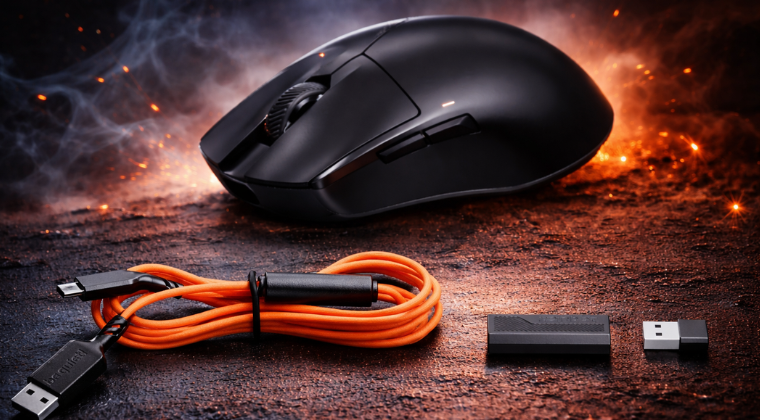
Reddit discussion has surfaced two consistent themes. First, shape selection is treated as the primary purchase decision, with users reporting meaningful comfort differences between the Ergo and Sym even when they rate both positively on performance. Second, there is genuine interest in aftermarket skate options, particularly full-coverage feet for soft mousepads. One early adopter thread reported a positive overall impression, noting the mouse felt light but not cheap, wireless was stable in a crowded 2.4 GHz environment, and the orange cable had more visual presence than expected.
The orange USB-C cable is worth mentioning if aesthetics matter to you. It is a design choice that works with be quiet!’s brand identity but will stand out on a dark desk setup.
Summary: Is the Dark Perk Worth It and Which Should You Buy?
The Dark Perk is a focused, honest competitive gaming mouse. PC Gamer noted it as a no-frills entry into the gaming mouse market, and that is accurate. There is no RGB, no Bluetooth, no aggressive feature list. What you get instead is a well-chosen sensor, a lightweight shell, wireless polling up to 8,000 Hz including wirelessly, solid battery life at sensible polling rates, and a grippy soft-touch coating that reviews consistently praise.
The two-shape approach is the right call. Ergo and Sym buyers are on identical hardware, so the decision really does come down to ergonomics. That removes the frustration of feeling like you compromised on performance to get the shape you prefer.
Quick buyer guide
- Choose the Sym if you use claw or fingertip grip, if you want a shape that suits a wider range of hands, or if you are genuinely unsure between the two.
- Choose the Ergo if you are right-handed, prefer a sculpted palm-side profile, and have used and enjoyed ergonomic mice before.
- Start at 1,000 Hz polling for daily use. Move higher only if you are in a high-frame-rate competitive setup and comfortable with more frequent charging.
- Use IO Center Web if you want to avoid installing software. It works on Windows, macOS, and Linux via a Chromium browser.
Who should look elsewhere
If you have large hands and need a bigger mouse, the Dark Perk’s compact dimensions may be a problem regardless of shape. If you specifically want near-silent clicks, check the acoustic specs carefully before buying. And if Bluetooth connectivity matters for multi-device use, the Dark Perk does not offer it.
The Dark Perk is a strong first gaming mouse from be quiet!. It does not reinvent the category, but it makes sensible decisions throughout and backs them up with competitive-grade hardware. For a brand entering peripherals for the first time, that is exactly the right approach.