What PSU Do I Need for My PC?
Why Getting Your PSU Right Matters
Choosing a power supply is one of the easiest places to make an expensive mistake in a PC build. If you undersize it, your system can crash, reboot under load or trigger protection limits at exactly the wrong moment. If you oversize it badly, you can waste money on wattage you do not need while still missing the connectors, form factor or quality level your build actually requires.
That is why the right question is not simply “How many watts?” but “What PSU do I need for my exact hardware, use case and upgrade plan?”
If you want the fast version, use our PSU calculator first, then use this guide to sense-check the result before you buy. Most calculators are useful, but even the best of them often return a baseline or minimum recommendation rather than the most sensible long-term purchase. Seasonic says this explicitly on their own calculator page, and be quiet! points out that efficiency is usually strongest in the middle of the load range rather than at the limit.
This guide covers continuous vs peak power, UK 230V efficiency, transient spikes, connector standards including 12V-2×6, modular cable safety, and worked examples using current 2026 hardware. None of the main competitor guides cover all of that in one place.
Why PSU Sizing Matters More Than Ever
Modern power supplies have to deal with more than a simple steady-state wattage number. Today’s CPUs and GPUs can change power state very quickly, and flagship graphics cards can create sharp load excursions that are far more aggressive than the old “CPU TDP plus GPU TDP plus a bit extra” rule suggests.
Intel’s ATX guidance for modern desktop PSUs sets out explicit excursion handling requirements that go as high as 200% of rated load for 100 microseconds in the relevant design scenario. That is why buyers who aim only for a bare-minimum calculator output can still end up with instability in real-world use, even if the wattage looks fine on paper.
There is also a basic misunderstanding that still catches a lot of builders out. A 750W or 1000W PSU does not constantly pull that from the wall. Intel is clear that a higher-wattage power supply only provides what the system asks for. If your PC is drawing 500W, the PSU supplies 500W. Capacity is a ceiling, not a constant bill.
That makes headroom sensible, especially for demanding GPUs and future upgrades, without automatically making your running costs explode.
The Quick Answer: A Simple Sizing Rule
For most builds, the fastest sensible sizing method is this:
- Start with the official CPU and GPU power figures.
- Add a realistic allowance for the rest of the system.
- Add 20% to 30% safety headroom.
- If the build uses a flagship GPU, runs heavy creator workloads, or you plan a future graphics upgrade, push that margin higher and favour an ATX 3.1 unit with the correct native GPU cable.
That rule of thumb lines up with what the strongest mainstream guides already imply. Intel says that if you calculate about 500W of system usage, a 600W or 650W PSU is a good option for overhead and future upgrades. Box similarly recommends adding 20% to 30% headroom, while Corsair’s calculator logic adds allowances for RAM, M.2 drives, SATA SSDs, AIO cooling and RGB fans rather than pretending CPU and GPU are the whole story.
Remember: calculator outputs are often a minimum recommendation, not an ideal shopping target. Use our PSU calculator to get your baseline, then apply the headroom guidance in this article before you buy.
How to Calculate PSU Wattage Properly
Start with Official CPU and GPU Power Numbers
The cleanest way to size a PSU is to start with manufacturer power figures, not random forum estimates. For CPUs, that means AMD’s listed TDP or Intel’s processor base and maximum turbo power. For GPUs, use the official total graphics power or typical board power, plus the manufacturer’s stated system power recommendation where available.
A few current examples show why this matters. NVIDIA lists the GeForce RTX 5070 at 250W total graphics power with a 650W required system power. The RTX 5090 is listed at 575W with a 1000W required system power. AMD lists the Radeon RX 9070 XT at 304W typical board power with a 750W minimum PSU recommendation. On the CPU side, AMD lists the Ryzen 7 9800X3D at 120W TDP, the Ryzen 7 9700X at 65W TDP, and Intel lists the Core Ultra 9 285K at 125W base power and 250W maximum turbo power.
One important nuance: a GPU’s required system power is not the same thing as GPU draw. It is the vendor’s whole-system guidance, often based on a specific high-end reference platform. NVIDIA notes, for example, that the RTX 5070 minimum is based on a system configured with a Ryzen 9 9950X and that actual requirements vary by configuration. So treat those numbers as guard rails, not as substitutes for thinking.
Add the Rest of the System Realistically
CPU and GPU dominate power planning, but they are not the whole build. Motherboard power delivery, RAM, NVMe drives, SATA drives, AIO pumps, case fans, RGB hubs and USB-powered accessories all add up. Corsair’s calculator is unusually transparent here: it explicitly says it adds extra wattage for up to four RAM sticks, up to four M.2 SSDs, up to two SATA SSDs, an AIO cooler and up to ten RGB fans. Overclockers UK also states that it uses manufacturer peak values for all configured components.
In practice, a planning allowance of roughly 60W to 120W for the rest of the system is usually sufficient for a typical modern single-GPU build. The lower end fits cleaner gaming rigs and the upper end fits boards with more storage, more cooling and more accessories.
Add Headroom for Transients, Ageing and Upgrades
This is the step that separates a safe recommendation from a bare minimum. Intel’s desktop PSU design guidance spells out the modern transient problem clearly. Supplies in the higher-power, modern-connector scenario are designed around handling 120% for 100 ms, 160% for 10 ms, 180% for 1 ms and 200% for 100 microseconds. That does not mean your PC runs at double power all day. It means the PSU has to survive very short, very sharp peaks without falling over.
That is why Seasonic says its wattage calculator provides only an indication of the minimum power required and advises buying more headroom for high-end graphics cards. It is also why be quiet! says the highest efficiency is normally reached between 50% and 80% PSU load. A smart buying target is usually a quality PSU that leaves your heaviest routine loads sitting somewhere in the middle of the unit’s operating range rather than right at the top.
Long-term reliability adds another reason not to run too close to the limit. Aluminium electrolytic capacitor life is strongly influenced by temperature, ripple current and operating conditions. Heat ages PSUs, and extra margin helps keep temperatures in check over years of use.
For a normal gaming or productivity build, 20% to 30% headroom is usually appropriate. For very high-end GPUs, long workstation rendering sessions, overclocking, or major planned upgrades, it is often smarter to buy one size up again. That extra spend usually buys quieter operation, better efficiency under real load, and a less stressful path to your next GPU.
Check Connectors and Form Factor Before You Buy
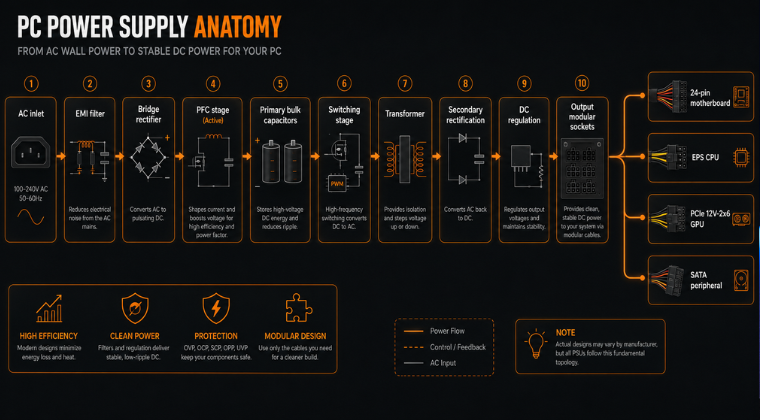
A PSU can have the perfect wattage and still be the wrong product. Intel’s guide tells buyers to check the core connections: 24-pin motherboard, 4/8-pin CPU, PCIe GPU power, SATA power and the occasional legacy peripheral connector. That remains the right starting point now.
Case size matters as well. If you are building in a compact enclosure, you may need SFX or SFX-L rather than standard ATX, and compact units cost more at the same quality level. For more on connector safety in particular, our guide to daisy-chain PCIe power cables on GPUs is worth reading alongside this one.
What PSU Specs Actually Mean
Continuous Power vs Peak Power
If there is one label that still confuses buyers, it is this one. Intel distinguishes between continuous power, which is what the PSU is designed to output on a regular basis, and peak power, which is only a short-duration maximum. When you shop, continuous output is the number that matters. A PSU marketed with a flashy peak figure but a weaker continuous rating is exactly the kind of trap this guide exists to help you avoid.
That is particularly relevant in gaming and creator systems where sustained load is real. A system doing long renders, simulation work or multi-hour gaming sessions needs a PSU that can deliver its rated output steadily and cleanly, not just survive a brief marketing-brochure surge test.
80 PLUS Efficiency and UK 230V Context
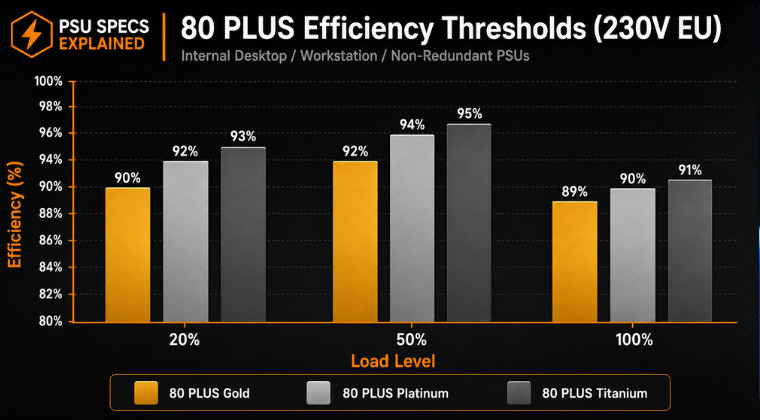
80 PLUS is primarily an efficiency certification, not a total quality score. CLEAResult, which runs the programme, publishes separate consumer tables for 115V internal and 230V EU internal desktop PSUs. For UK readers, the 230V EU table is the more relevant one. Gold requires 90% efficiency at 20% load, 92% at 50% load and 89% at 100%. Platinum requires 92%, 94% and 90%. Titanium requires 93%, 95% and 91%, plus 90% at 10% load.
That matters because many guides speak only in abstract Bronze, Gold, Platinum terms without connecting the rating to real operation on UK mains. Product pages often show higher real-world efficiency at 230V than shoppers expect. For example, be quiet!’s Pure Power 13 M 1000W lists 93.9% efficiency at 20% load, 94.4% at 50% load and 92.5% at full load on 230V input. That is genuinely useful context if your audience is buying and using PSUs in the UK rather than in a 115V market.
Higher efficiency means less power wasted as heat, which normally means lower fan noise and lower waste heat inside the case as well. For most gaming and general high-performance builds, 80 PLUS Gold remains the practical sweet spot. Platinum and Titanium make more sense when the machine runs hard for long hours, when you are building a premium SFF system, or when you are optimising for the lowest possible waste heat and noise.
Single-Rail vs Multi-Rail
The rail debate is one of those topics that confuses new builders because the language sounds more dramatic than it needs to. In a single-rail PSU, all the PSU’s power is available from a single source. In a multi-rail PSU, the available amperage is split across two or more rails, which can add another layer of current limiting on individual rails.
In day-to-day buying terms, the practical difference is this: single-rail units are simpler because you do not need to think about balancing power across rails. Corsair notes the overall safety difference is not a significant differentiator in reputable modern units, though a multi-rail design may protect connected components more conservatively because it cannot deliver as much current across one single path. The practical conclusion is not “one is always better.” It is “buy a good PSU with solid protections, then make sure it suits your GPU and use case.”
Modular, Semi-Modular and Non-Modular
Modularity is simpler. A non-modular PSU has all cables permanently attached. A semi-modular PSU fixes the essential ones and lets you detach others. A fully modular PSU lets you attach only the cables you need. Both Intel and Box point to modularity as a cable-management and airflow advantage, especially in tighter builds.
For a budget office PC, non-modular can still be fine. For most enthusiast builds, modular or semi-modular is worth paying for. The cleaner cabling is easier to route, especially around front fans, GPU shrouds and compact cases.
Connector Checklist for Modern PCs
24-pin, EPS, PCIe and SATA
Most systems still revolve around the same baseline connector set. Intel lists the essentials clearly: a 24-pin motherboard cable, a 4/8-pin CPU cable, PCIe power cables for graphics cards, SATA power for storage and hubs, and the now rarer Molex connector for certain legacy accessories or pumps. This basic checklist still belongs in every beginner-facing guide because the “right wattage, wrong cables” mistake is surprisingly common.
12V-2×6 and ATX 3.1
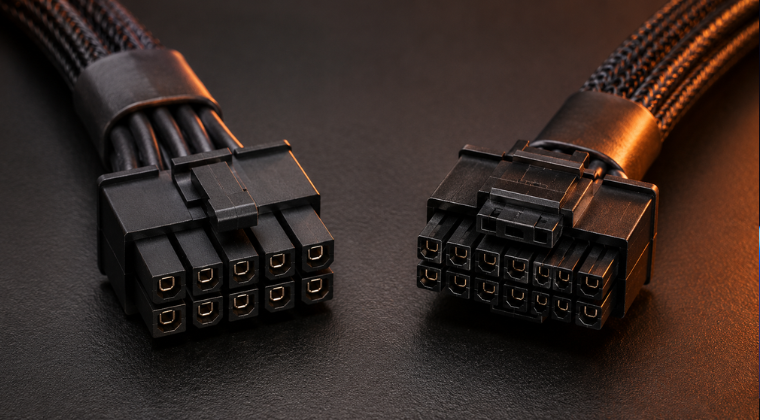
If you are shopping for a modern gaming PSU in 2026, you need to know the current connector language. PCI-SIG states that the 12V-2×6 connector replaces the older 12VHPWR name. Intel’s ATX documentation also refers to the 12V-2×6 connector and its sideband signals. In practical buying terms, builders using newer high-end GPUs should strongly prefer a current PSU with the correct native cable rather than treating next-gen GPU power like just another pair of old 8-pins.
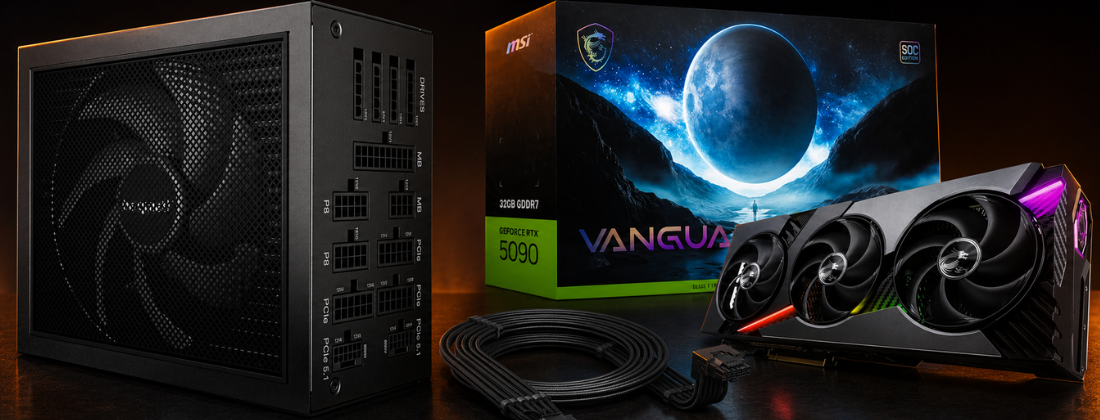
That does not mean every system needs a premium flagship PSU, but it does mean connector readiness should be part of the sizing conversation. MSI’s MAG A850GL PCIE5, for example, is marketed as ATX 3.1 ready with a native PCIe 5.1 16-pin cable, and its specifications explicitly reference 200% excursion capability for 100 microseconds, which aligns directly with the transient discussion above.
Why You Must Not Mix Modular Cables
This is one of the highest-value safety points in any PSU guide because very few ranking pages explain it well. Seasonic’s cable compatibility documentation says modular PSU cables are not cross-brand compatible and may differ even within a brand across series and models. That is exactly why experienced builders consistently tell newcomers never to assume one modular PSU cable can safely substitute for another.
So if you upgrade or swap a PSU, use the cables that belong to that exact model unless the manufacturer explicitly says otherwise. That one habit prevents an astonishing amount of avoidable hardware damage. If you want more detail on cable safety and daisy-chain configurations, our guide on daisy-chain PCIe power cables on GPUs goes deeper on this topic.
Safety reminder: Never use a modular cable from a different PSU brand or series, even if the connector physically fits. The pinout can differ, and the result can be permanent hardware damage.
Real-World PSU Calculations
Gaming Build Example: Ryzen 7 9800X3D and RTX 5070
Start with a current enthusiast gaming setup. AMD lists the Ryzen 7 9800X3D at 120W TDP, and NVIDIA lists the RTX 5070 at 250W total graphics power with a 650W required system power. Add a realistic 75W allowance for the motherboard, RAM, NVMe storage, cooling and fans, and you get an approximate design load of 445W. Add 30% headroom and you land at about 579W.
That tells you two useful things. First, a quality 650W PSU is genuinely workable. Second, a 750W Gold ATX 3.1 PSU is often the more comfortable buy if you want quieter fan behaviour, more room for component changes, and a little extra margin rather than sitting close to the floor. NVIDIA’s own 650W system guidance makes 650W the minimum. For many gamers, 750W is still the smarter shopping target.
Workstation Build Example: Core Ultra 9 285K and RTX 5090
Now take a far more demanding machine. Intel lists the Core Ultra 9 285K at up to 250W maximum turbo power, and NVIDIA lists the RTX 5090 at 575W total graphics power with a 1000W required system power. Add 100W for the rest of a workstation-class platform, covering extra drives, more cooling, more memory and more motherboard complexity, and you are looking at roughly 925W before headroom. Add 20% to 25% and you land around 1110W to 1156W.
That is why 1000W should be treated as the floor for this class of build, not as the ideal purchase in every case. If the workstation renders for hours, uses multiple storage devices, or may later gain faster peripherals, the sensible recommendation becomes 1200W or higher. This is exactly the kind of scenario where buying one size up is cheaper than debugging transient or thermal edge cases later. Our article on the PSU click and system reset issue on RTX 5090 builds is a real-world example of what happens when power headroom is too tight under a demanding workload.
Small Form Factor Build Example: Ryzen 7 9700X and RX 9070 XT
SFF is where simplistic maths often breaks down fastest. Consider a compact system with a Ryzen 7 9700X and a Radeon RX 9070 XT. AMD lists the 9700X at 65W TDP and the RX 9070 XT at 304W typical board power with a 750W minimum PSU recommendation. Add 60W for a compact motherboard, memory, SSD and cooling, and your back-of-the-envelope total is about 429W. Add 25% headroom and you get roughly 536W, which might tempt a novice into buying a 550W or 600W SFX unit. That would be the wrong conclusion.
In this case, the manufacturer’s own minimum PSU recommendation is the more important signal. The GPU vendor is accounting for real-world system behaviour, not only average arithmetic, and SFF systems also give the PSU less room to breathe thermally. So for a compact RX 9070 XT build, the right answer is a quality 750W SFX or SFX-L PSU, ideally Gold or better. This is one of the clearest examples you can give of why adding up TDPs is useful, but not sufficient on its own.
Ready to check your own parts list? Use our PSU calculator to get a quick baseline, then apply the headroom and connector guidance from this article before making your final choice.
PSU Comparison Table by Tier
The table below covers a selection of current PSUs across common use cases. Specifications are drawn from official manufacturer pages. Price tiers are editorial buckets rather than live price quotes, because PSU pricing moves frequently by retailer and promotion.
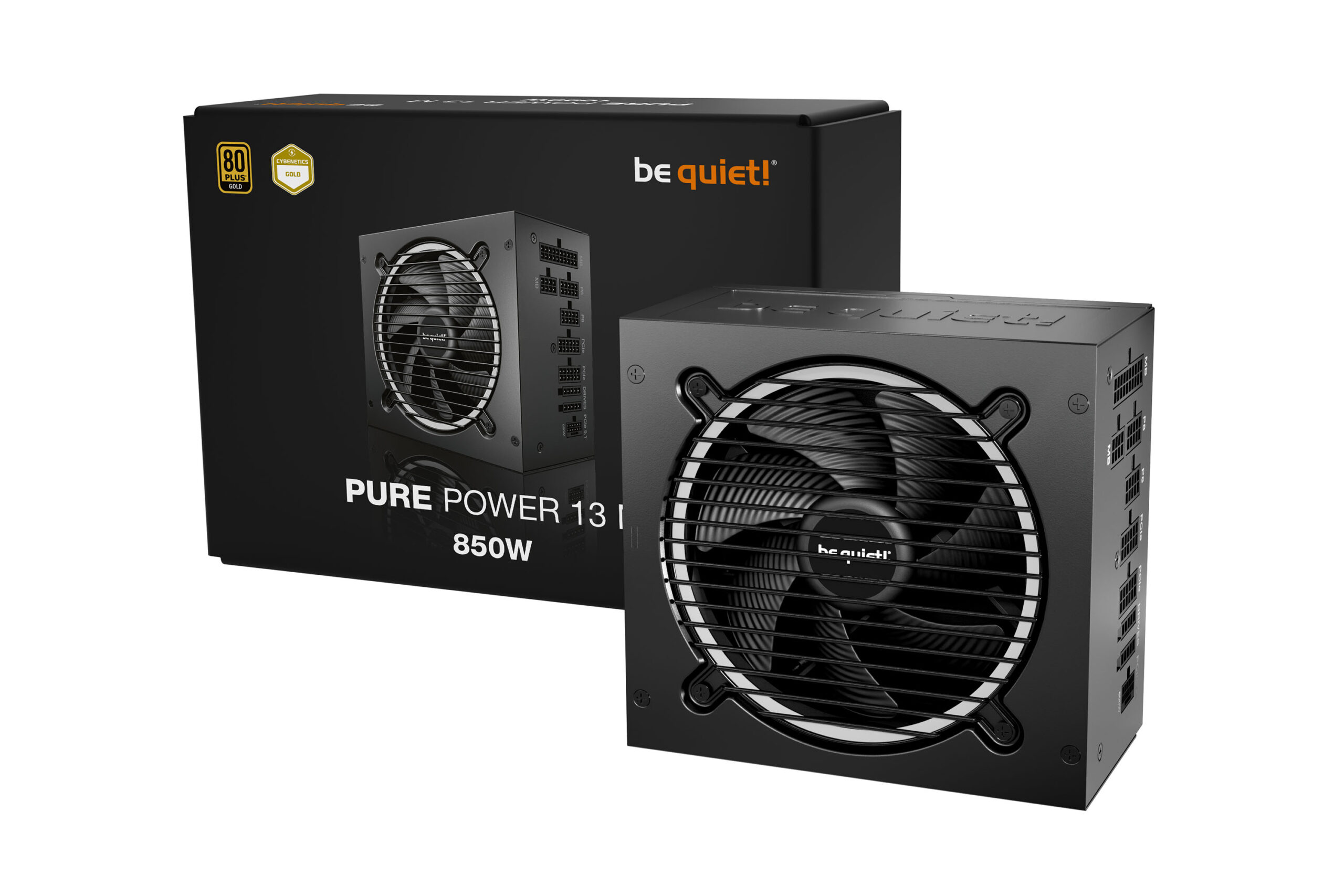
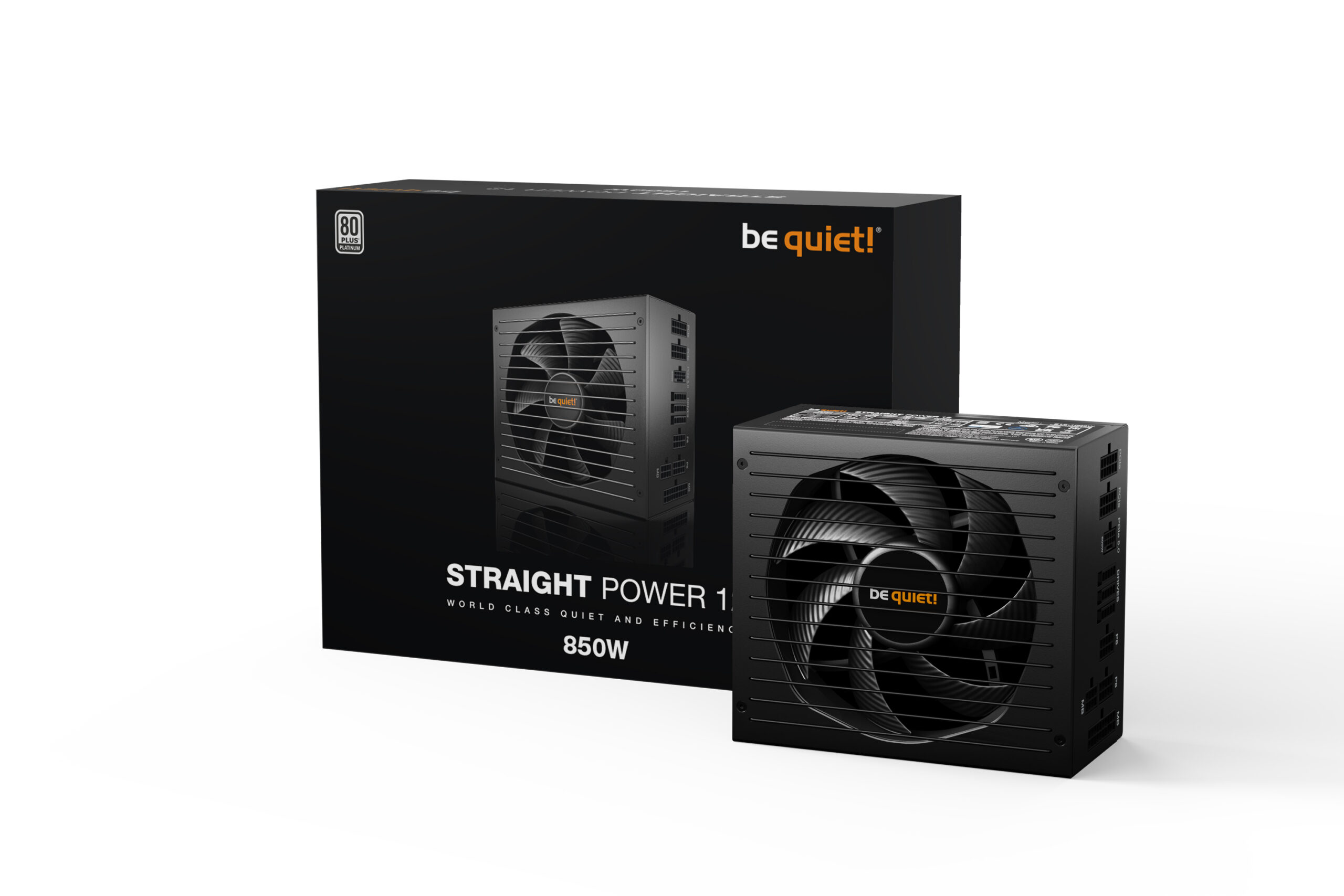
PSUWattageEfficiencyModularityForm FactorBest FitCorsair RM650x650W80 PLUS GoldFully modularATXMainstream gaming and balanced buildsCorsair SF750750W80 PLUS PlatinumFully modularSFXHigh-quality SFF buildsMSI MAG A850GL PCIE5850W80 PLUS GoldFully modularATXModern gaming builds with ATX 3.1 and PCIe 5.1 supportbe quiet! Pure Power 13 M 850W850W80 PLUS GoldSemi-modularATXQuiet performance setupsSeasonic Focus GX ATX 3.1750W to 1000W series80 PLUS GoldFully modularATXUpgrade-friendly ATX buildsbe quiet! Pure Power 13 M 1200W1200W80 PLUS GoldSemi-modularATXHigh-end workstations and flagship GPUsIf you want a deeper look at be quiet! options specifically, our be quiet! PSU reliability and model guide covers Pure Power, Straight Power and Dark Power in detail.
Common Mistakes That Lead to Bad PSU Choices
Shopping by the Cheapest Big Number
A poor 850W unit is not automatically a better buy than a strong 650W or 750W unit from a reputable line. Continuous output, protections, connector quality, cable support and the unit’s ability to handle transient behaviour matter more than a large wattage sticker on its own. Intel’s guidance on protections, Seasonic’s minimum-only calculator warning, and the modern ATX excursion discussion all point in the same direction: quality and headroom matter together.
Assuming More Wattage Is Always Wasteful
It is not. Your PSU only supplies what the system asks for, and a slightly larger unit can place your real workloads in a more efficient, quieter and cooler part of the load curve. be quiet! explicitly notes that peak efficiency is usually found between 50% and 80% load, which is another reason many builders prefer a little space above their calculated requirement.
Ignoring Cables and Form Factor
Right wattage does not help if your compact case needs SFX, your motherboard wants two EPS connectors, or your GPU really deserves a native 12V-2×6 cable rather than a workaround. This is why calculators that factor in case size and modern connector needs are more useful than generic wattage charts alone.
Mixing Modular PSU Cables
This is easy to do when you keep spare cables in a drawer, but it is risky enough that it deserves repeating. Unless the manufacturer explicitly confirms compatibility, do not assume a modular cable from one PSU can be safely used on another. Seasonic’s own compatibility documentation says not to do that across brands and warns that differences can exist even within the same brand across different series.
If you are starting your first build and want a broader overview of choosing parts correctly, our complete beginner’s guide to building your first PC covers PSU choice alongside every other component decision.
Final Recommendation
If you want a fast buying rule, here it is. Use official CPU and GPU power figures, add the rest of the system realistically, add 20% to 30% headroom, then buy a quality PSU with the correct connectors and form factor. For mainstream gaming, that often lands in the 650W to 850W range. For flagship GPUs or serious workstation loads, 1000W is increasingly the floor and 1200W or more is often the comfortable choice. For SFF, do not let small size tempt you into under-buying.
If you want to check your own exact parts list, the quickest next step is to use our PSU calculator tool and then compare the result against the guidance in this article. That combination, calculator first and then human sense-checking around transients, connectors, efficiency and future upgrades, is the most reliable way to choose the right PSU the first time.
Quick summary: Use manufacturer power figures. Add system allowance. Add 20% to 30% headroom. Buy the right connectors and form factor. For flagship GPUs or workstation builds, go one size up. Never mix modular cables. Done.