Key takeaways
- The single greenest choice is almost always to keep and repair the laptop you already own, since most of a device's carbon footprint comes from making it, not using it.
- Studies put manufacturing at roughly 75 to 85 per cent of a laptop's lifetime carbon footprint, so a longer life is the real win.
- If you do need to buy, the Framework laptop leads on sustainability thanks to its fully modular, repairable and upgradeable design.
- Major brands including Dell, HP, Lenovo, Acer and Apple now use significant recycled materials and publish clear environmental goals.
- Look for trusted certifications, EPEAT Gold, ENERGY STAR and TCO Certified, rather than vague "eco" marketing claims.
- Buying refurbished is one of the most sustainable and affordable options of all, giving a perfectly good machine a second life.
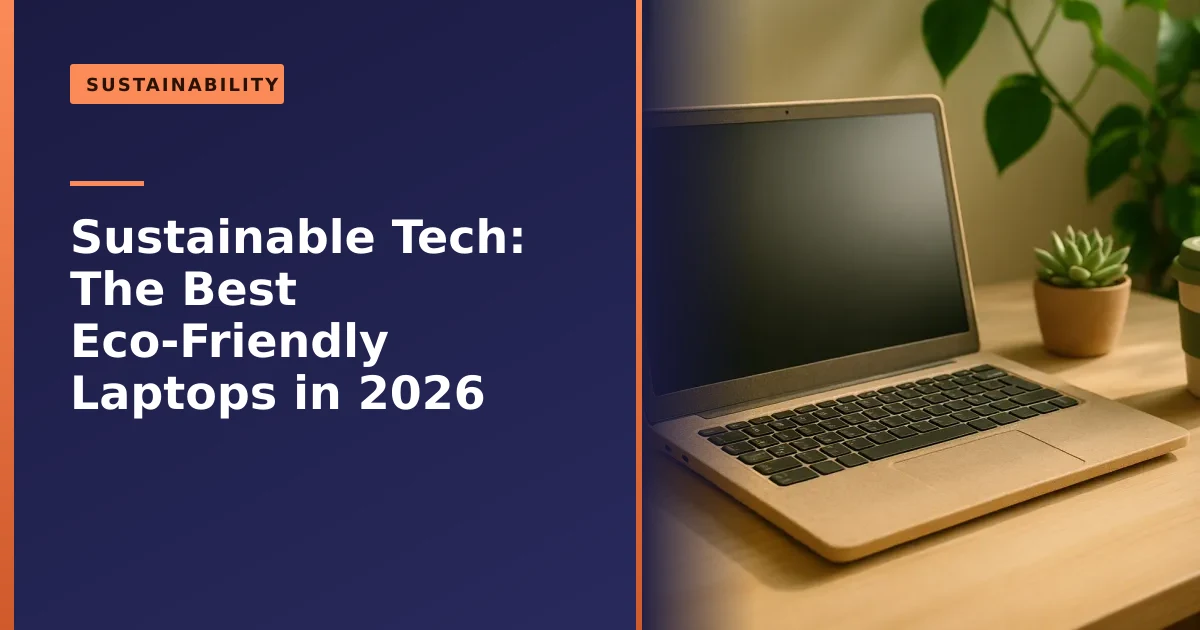
What is the most eco-friendly laptop you can buy in 2026? The honest answer surprises people: it is usually the one you already own. Because the vast majority of a laptop's environmental impact comes from manufacturing it, keeping and repairing your current machine beats buying even the greenest new one. When you do need to replace it, the most sustainable choices are repairable, recycled-material laptops from brands with genuine green credentials, or a good refurbished model. This guide explains how to make the greener choice without the greenwashing.
As a Manchester repair business, sustainability is built into what we do, since every laptop we fix or upgrade is one that stays out of landfill. Here is our honest take, with real figures from independent research rather than marketing slogans, and with the practical steps that actually matter for a household or a small business here in Greater Manchester.
The greenest laptop is the one you already own
Before looking at new laptops, here is the most important fact in this whole article: most of a laptop's carbon footprint is created during manufacturing, before you ever switch it on. Mining the materials, refining the metals, fabricating the chips, making the components and assembling the device account for the bulk of its lifetime emissions, far more than the electricity it uses over years of work.
How much more? The research is remarkably consistent. Across multiple life-cycle analyses, manufacturing typically accounts for somewhere between 75 and 85 per cent of a laptop's total carbon footprint, with transport, years of daily use and final disposal making up the rest. A peer-reviewed 2025 life-cycle study published in the journal Sustainability put the manufacturing phase at around two thirds of a laptop's roughly 325kg of lifetime emissions, with the use phase only a fraction of that and end-of-life a tiny sliver. The exact percentage varies by model and by how clean your local electricity is, but the headline never changes: the factory, not the plug socket, is where the damage is done.
The implication is clear. The most sustainable thing you can do is keep your existing laptop running for as long as possible. Repairing a fault, replacing a worn battery, or upgrading the memory and storage to give an older machine a new lease of life is dramatically greener than buying new, and far cheaper too. Every extra year you squeeze out of a laptop spreads that big manufacturing footprint over more useful life, which is the single most effective thing most people can do. Our guides on repair versus replace and the right to repair dig into exactly this. So before you shop, ask whether your current laptop could simply be fixed or upgraded, the answer is often yes.
Where a laptop's carbon actually hides
It helps to know which parts of a laptop carry the heaviest footprint, because it explains why repair beats replacement so decisively. The emissions are not spread evenly across the machine. They are concentrated in a handful of high-tech components that are extraordinarily energy-intensive to produce.
- The mainboard and processor. Fabricating modern chips involves hundreds of process steps, ultra-pure materials and enormous amounts of energy and water in the foundry. This is consistently one of the largest single contributors.
- The display. Screens are surprisingly carbon-heavy to manufacture, especially higher-resolution and OLED panels.
- Storage and memory. SSD and RAM chips are also fab-made and carry a real footprint, which is why reusing a working drive matters.
- The battery. Cells rely on mined lithium, cobalt and other minerals with significant extraction impacts.
- The casing and metals. Aluminium in particular is energy-hungry to smelt from raw ore, which is exactly why recycled aluminium is such a meaningful improvement.
Notice the pattern. When you replace a whole laptop you throw away all of that embedded carbon at once. When you swap a single battery or fit a larger SSD, you keep the expensive mainboard, display and chassis in service and only pay the footprint of one small part. That is the entire case for repair in one sentence.
The scale of the e-waste problem
Keeping devices alive is not just a carbon question, it is a waste question, and the numbers are sobering. According to the United Nations University and UNITAR Global E-waste Monitor 2024, the world generated a record 62 million tonnes of electronic waste in 2022, up 82 per cent on 2010, and that figure is on track to reach 82 million tonnes by 2030.
The recycling side is the worrying part. Only 22.3 per cent of that e-waste was documented as properly collected and recycled, and the report warns the rate could actually fall as volumes climb. In other words, electronic waste is growing roughly five times faster than formal recycling can keep up. Each laptop kept in use, repaired, or passed on to a second owner is one less item adding to that mountain, and one less set of valuable, finite materials going to waste. The UN report valued the raw materials in a single year's e-waste at tens of billions of pounds, most of which is simply lost.
For a Manchester household or business, the takeaway is practical rather than preachy: the most planet-friendly habit is to use what you have for longer and to dispose of old kit responsibly when its time really is up, which we cover later in this guide.
If you must buy new: what makes a laptop eco-friendly?
When buying is genuinely the right call, a few things separate a truly greener laptop from clever marketing:
- Repairability and upgradability. A laptop you can open, repair and upgrade lasts far longer, which is the heart of sustainability. Look for replaceable batteries, accessible memory and storage, and parts you can actually buy. This matters more than almost anything else.
- Recycled materials. Look for significant use of post-consumer recycled aluminium and plastics, including ocean-bound plastics, in the casing and components. Recycled aluminium in particular avoids the huge energy cost of smelting new metal.
- Energy efficiency. A more efficient laptop uses less power over its life, saving energy and money. Modern low-power processors sip electricity compared with older machines.
- Recyclable design and packaging. Devices designed to be taken apart and recycled at end of life, with plastic-free, recycled packaging, reduce waste twice over.
- Durability and long support. A sturdy build and years of software and security updates keep a laptop usable and safe for longer, which is sustainability in disguise.
- Genuine certifications. Independent labels (covered below) are your best defence against vague "eco" claims.
Repairability is the one to weigh most heavily, because a laptop that lasts ten years through repairs is far greener than a "recycled" one that is thrown away after three. Recycled content is welcome, but it is the consolation prize next to a long, repairable life.
The most sustainable laptop brands in 2026

Several manufacturers now take sustainability seriously. The standouts in 2026:
- Framework is the clear leader for anyone serious about sustainability. Its laptops are fully modular, so you repair or upgrade individual parts, the screen, battery, ports, keyboard and even the mainboard, rather than replacing the whole machine. Every part comes with a repair guide and can be bought from its marketplace. It is repairability taken to its logical, brilliant conclusion, and it means one chassis can keep going for many years through simple swaps.
- Dell uses large amounts of recycled and renewable plastics, including bio-based and ocean-bound materials, alongside closed-loop recycled aluminium, with EPEAT registration and recycled packaging across much of its range. Its business lines such as the Latitude series are built to be serviced and to last.
- Lenovo builds recycled content into its ThinkPad line, with low energy consumption and, on many models, user-replaceable batteries, memory and storage that genuinely extend the laptop's life. ThinkPads are also known for durability and long parts availability.
- Acer offers its Aspire Vero range made from post-consumer recycled plastic, designed to be opened with standard screwdrivers for easy repair and end-of-life recycling. Newer models have even introduced bio-based materials in the casing.
- Apple has made big strides with recycled aluminium and recycled rare-earth materials and ambitious carbon-neutral goals, set out on its environment pages, though its laptops are less user-repairable than Framework's. The latest MacBook Air uses a 100 per cent recycled aluminium enclosure, and Apple is targeting carbon neutrality across its footprint by 2030.
- Microsoft Surface uses recycled materials and meets ENERGY STAR and EPEAT standards, and more recent models are noticeably easier to service than older ones, making it a reasonable mainstream choice.
If repairability and longevity are your priority, Framework stands apart; for a mainstream machine, any of the others with strong recycled content and good certifications is a sound greener choice.
Eco-friendly laptop brands at a glance
Every brand frames its own story flatteringly, so it helps to compare them on the things that actually move the needle. This table is a simplified summary to help you weigh up the trade-offs, not a substitute for checking the exact model you are considering.
| Brand | Repairability | Recycled materials | Best for |
|---|---|---|---|
| Framework | Excellent, fully modular, parts sold openly | Recycled aluminium and plastics | Longest possible life and self-repair |
| Lenovo ThinkPad | Good, many user-serviceable parts | Recycled plastics and metals | Durable everyday and business use |
| Dell Latitude | Good, designed to be serviced | Closed-loop aluminium, ocean-bound plastics | Business fleets and recycled content |
| Acer Aspire Vero | Good, standard-screwdriver access | High post-consumer recycled plastic | Affordable recycled-material choice |
| Apple MacBook | Limited for users, improving | Recycled aluminium and rare earths | Recycled content and carbon goals |
| Microsoft Surface | Moderate, better on newer models | Some recycled materials | Mainstream Windows buyers |
Use it as a starting point. A specific Lenovo or Dell model with the right certification can easily be greener than a rival's flagship, so always check the individual machine.
The certifications that actually mean something
"Eco-friendly" on a box means nothing on its own, so look instead for independent certifications that hold manufacturers to real standards. The three worth knowing:
- EPEAT rates products Bronze, Silver or Gold against environmental criteria across their life cycle, covering climate, materials, chemicals of concern and responsible supply chains. Gold means the product meets all required criteria plus at least 75 per cent of the optional points, so EPEAT Gold is a strong signal.
- ENERGY STAR certifies energy efficiency. Certified computers are independently verified and typically use around 30 to 40 per cent less energy than standard models through efficient components and better power management, so a certified laptop costs less to run over its life.
- TCO Certified is one of the most comprehensive sustainability certifications for IT products, covering social and environmental criteria throughout the product's life, including factory working conditions, hazardous substances and, increasingly, durability and repairability.
Checking for one or more of these labels is the simplest way to cut through greenwashing and know a laptop's green claims have been independently verified. If a product carries none of them but shouts loudly about being "green", treat that as a yellow flag and dig a little deeper.
How to spot greenwashing
Marketing departments have learned that "sustainable" sells, so a fair amount of eco language is decoration rather than substance. You do not need to be an expert to see through it. A few simple tests usually do the job.
- Vague words with no proof. "Eco", "green" and "natural" mean nothing without a number or a certification behind them. Look for specifics like "30 per cent post-consumer recycled plastic" or an EPEAT rating.
- One green feature, ignoring the rest. Recycled packaging is nice, but it is trivial next to a sealed-in battery that forces an early replacement. Judge the whole device, especially whether it can be repaired.
- No parts, no guides, no support window. If you cannot buy a replacement battery or find out how long it will get updates, longevity claims ring hollow.
- Recyclable in theory only. A laptop is only recycled if it can realistically be taken apart and if you actually take it to the right place. Design for disassembly matters.
The most reliable green signal is boring and practical: can this machine be kept running for the better part of a decade, and is that backed by an independent certification? If yes, the marketing barely matters.
Don't overlook refurbished
Here is a brilliantly sustainable and affordable option many people overlook: buy refurbished. A professionally refurbished laptop is a used machine that has been tested, repaired and restored to good working order, often with a warranty. Choosing one gives a perfectly capable device a second life, avoids the huge manufacturing footprint of a new laptop entirely, and usually costs far less.
The carbon case is striking. A peer-reviewed study carried out at Cranfield University found that a remanufactured laptop produces only around 6 per cent of the CO2 emissions of an average new one, which is to say it carries roughly fifteen times less embedded carbon. That is the manufacturing footprint we keep returning to, avoided almost entirely by reusing a machine that already exists.
For most everyday needs, a quality refurbished laptop is more than powerful enough, and it is arguably the greenest "new to you" purchase you can make. When you buy one, it pays to check a few things: that it comes with a warranty, that the battery health is reasonable or replaceable, that storage is an SSD rather than an old mechanical drive, and that it will still receive security updates for several years. Pairing a refurbished machine with an SSD or memory upgrade, as our guides on SSDs and RAM explain, can make it feel brand new for a fraction of the cost and impact.
How to choose a sustainable laptop, step by step
Pulling all of this together, here is a simple order of priority to work through. Following it from the top usually lands you on the greenest realistic option for your situation and budget.
- Step 1: Can you keep what you have? Be honest about whether your current laptop is genuinely beyond help or just slow and tired. A battery, an SSD, more memory or a fresh setup often fixes "it feels old". Our guide on why a laptop runs slow is a good starting point.
- Step 2: If not, can you buy refurbished? For most home and office tasks, a good refurbished machine is greener, cheaper and perfectly capable.
- Step 3: If buying new, prioritise repairability. Choose a laptop with a replaceable battery and accessible memory and storage. This single choice does more for sustainability than any badge.
- Step 4: Check for a certification. Favour EPEAT Gold, ENERGY STAR and TCO Certified models over uncertified ones.
- Step 5: Look at recycled content and support length. Recycled aluminium and plastics are a plus, and years of guaranteed updates keep the machine safe and usable for longer.
- Step 6: Buy the right size, not the biggest. A modestly specced laptop that suits your actual needs has a smaller footprint than an overpowered one you barely use.
If you are weighing up the spend, our honest breakdown of what a laptop repair costs can help you compare fixing against buying before you commit.
Energy efficiency and running your laptop greener
While most of a laptop's footprint is baked in at the factory, the years of use still matter, and the cleaner you run the machine the better, especially with UK electricity prices where they are. The good news is that laptops are already far more efficient than desktops, and a few habits trim their running cost further.
- Use the built-in power and battery saving modes. Windows and macOS both have settings that dim the screen and ease off the processor when you do not need full power.
- Turn the screen brightness down. The display is one of the biggest power draws, so a lower brightness noticeably extends battery life and cuts consumption.
- Let it sleep. Sleeping or shutting down when you step away saves more energy than any screensaver ever did.
- Unplug the charger once charged. It draws a little standby power when left in the wall.
- Keep it clean and cool. A dust-clogged laptop runs its fans harder and works less efficiently.
Looking after the battery itself is part of this too, since a healthy battery delays a replacement. Our guides on improving battery performance and a battery that will not charge go into the detail.
Making any laptop last longer and greener
Whatever you own, a few habits keep it greener for longer: look after it well, as our laptop care guide sets out; keep it clean and cool to avoid wear; tidy up the software side with a periodic disk clean-up so it stays quick; repair faults rather than replacing the whole machine; and upgrade rather than discard when it starts to feel slow. A laptop that gets a new battery at year three and an SSD at year five can comfortably reach year eight or beyond, which spreads its big manufacturing footprint over far more useful life.
The mindset shift is the important bit. Treat your laptop as something to maintain, like a bike or a boiler, rather than something to bin at the first sign of trouble. Small, timely repairs and upgrades almost always beat replacement on cost and on carbon.
What to do with an old laptop in the UK
When a device finally does reach the end of its life, where it goes matters. Electrical items should never go in your general waste bin, both because of the resources lost and because batteries can cause fires in bin lorries and at waste sites.
- Wipe your data first. Before anything leaves your hands, securely erase your personal information, as our guide on wiping a device explains.
- Reuse before recycling. A working laptop can be sold, donated or passed on to a family member, which keeps it in use and avoids any new manufacturing.
- Use retailer take-back. Under the UK's WEEE rules, retailers selling electrical goods must help you dispose of your old equipment, and many offer free take-back when you buy a replacement. The government guidance on electrical waste sets out these responsibilities.
- Take it to a recycling centre. Your local household waste recycling centre will have a dedicated point for electricals and batteries.
Recycling recovers valuable metals and keeps hazardous materials out of the environment, but remember it sits at the bottom of the priority list. Reuse and repair come first, because they avoid the manufacturing footprint entirely rather than just cleaning up at the end.
Common myths about eco-friendly laptops
A few persistent ideas lead people astray, so it is worth clearing them up.
- "Buying a new energy-efficient laptop is the green choice." Usually not. The energy saved in use rarely offsets the carbon of manufacturing a whole new machine for years, if ever. Keeping your old one going is almost always greener.
- "Recycled materials make a laptop sustainable." They help, but a recycled-plastic laptop that cannot be repaired and gets binned in three years is worse than a plain one that lasts a decade.
- "Refurbished means worn out." A properly refurbished laptop is tested, repaired and often warrantied, and for everyday use it performs just like new.
- "Recycling cancels out the impact." Recycling is valuable but imperfect, and globally only about a fifth of e-waste is formally recycled. Using a device for longer beats relying on recycling at the end.
How Manchester PC can help
The most sustainable choice is usually to repair and upgrade what you have, and that is exactly what we do best. We will honestly tell you whether your laptop is worth fixing or upgrading, carry out repairs and upgrades that extend its life, and help you avoid an unnecessary replacement, and if you do need a different machine, we can advise on a sensible refurbished option.
We cover Manchester and the surrounding areas with free local collection and return, fair pricing and genuinely honest advice, never pushing a new device when a repair will do. For a laptop repair, an upgrade or sustainability advice, get a free, no-obligation quote or call us on 0161 820 1992.