Key takeaways
- A genuinely capable cheap gaming laptop in 2026 starts at around £700 to £900, typically built around an NVIDIA RTX 5050 or RTX 5060 graphics chip for smooth 1080p gaming.
- The graphics chip is the single most important part, but its power limit (TGP) matters as much as the model name, so a higher-wattage RTX 5060 can beat a starved RTX 5070.
- Aim for at least 16GB of RAM and a fast SSD; both are cheap to upgrade later if you buy a machine that allows it.
- A 1080p screen with a high refresh rate (120Hz or 144Hz) is the budget sweet spot, far better value than chasing 1440p or 4K on a cheap laptop.
- Cheap gaming laptops run hot and wear hard, so good cooling, easy upgrades and a local repairer to fall back on matter more than flashy looks.
- Buy by criteria, not by a single model name, because the best deal changes every few weeks and a well-specified £800 machine often beats a badly cooled £1,000 one.
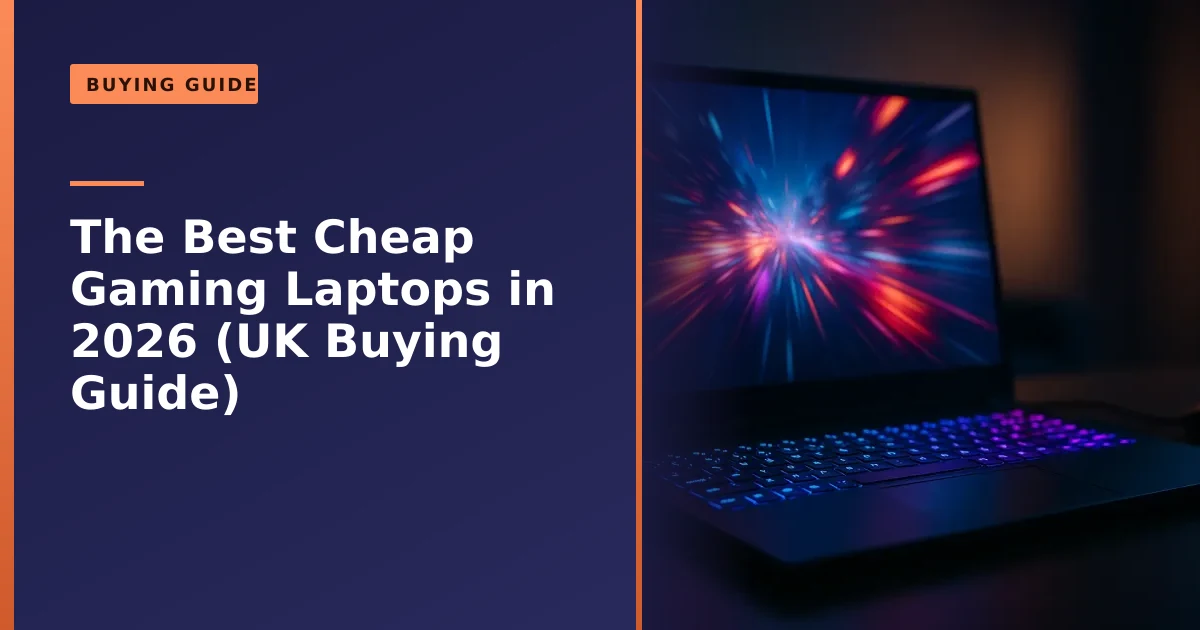
What is the best cheap gaming laptop in 2026? For most people on a budget, it is a machine built around an NVIDIA RTX 5050 or RTX 5060 graphics chip, paired with 16GB of RAM and a fast SSD, which you can now buy from around £700 to £900 and which will play almost any modern game smoothly at 1080p. Rather than name a single model that will be out of stock next month, this guide shows you exactly what to look for, so you can spot a genuine bargain and avoid the traps.
We repair and upgrade gaming laptops for customers across Manchester and Salford every week, so we see first-hand which budget machines hold up and which overheat or fall apart, here is honest, jargon-free buying advice.
This is deliberately a buying guide rather than a list of products. Prices and stock move constantly, and a model that looks unbeatable in January can be poor value by summer. What does not change is the way you judge a gaming laptop: the same handful of specifications and trade-offs decide whether a machine is a smart buy or a costly regret. Learn those, and you can read between the marketing lines yourself.
How much do you need to spend in 2026?
The good news is that gaming laptops have never been better value at the budget end. As of 2026 you can find capable machines with current-generation RTX 50-series graphics from roughly £700, and a well-rounded budget gaming laptop sits in the £800 to £1,000 bracket. Below about £700 you are usually looking at older or weaker graphics that will struggle with newer titles, so that is the sensible floor for real gaming.
What does your money buy at each level? Here is a rough guide for 2026:
| Budget | Typical graphics | What to expect |
|---|---|---|
| ~£700-£800 | RTX 5050 | Smooth 1080p gaming at sensible settings; great for esports and most titles |
| ~£800-£1,000 | RTX 5060 | 1080p on high or ultra; comfortable headroom and ray tracing |
| ~£1,000-£1,300 | RTX 5070 | Strong 1080p and entry 1440p gaming |
For most people on a budget, an RTX 5050 or RTX 5060 machine is the sweet spot, plenty of power for 1080p, which is the resolution nearly all budget laptop screens use anyway.
It is worth understanding what actually costs money inside these machines, because that tells you where corners get cut. The graphics chip and the screen are the two most expensive parts, followed by the cooling system and the chassis. When a laptop is unusually cheap for its GPU, the saving almost always comes from a dimmer or slower screen, a thinner cooling system, a smaller battery, or a meaner power limit on the GPU itself. None of those show up in the headline specification, which is why two laptops with the "same" graphics card can cost £150 apart and feel like different machines. Prices also swing around big sales events, so if you are not in a rush, watching for a few weeks and buying during a sale gets you more laptop for your money.
The graphics chip: the most important part
The graphics chip (GPU) is what determines your gaming performance more than anything else, so it is where most of your budget should go. In 2026 the budget choices are NVIDIA's RTX 5050 and RTX 5060. The RTX 5050 handles 1080p gaming at sensible settings and is ideal for esports and mainstream titles, while the RTX 5060 is the stronger pick, comfortably running games at high or ultra settings with smoother frame rates and usable ray tracing, as the reviewers at PC Gamer note.
Why does the GPU matter so much more than everything else? Rendering a game frame is a huge, parallel workload the graphics chip is purpose-built for. A faster processor cannot rescue a weak GPU in most games, whereas a strong GPU paired with a modest processor will still game beautifully. That is why we tell budget buyers to spend up on graphics first and treat almost everything else as secondary.
The 5060 is not just slightly faster; it generally carries more video memory and more processing units, giving it more headroom as games get heavier over the next few years. If your budget can stretch the extra £100 or so, it is the wiser long-term buy. If money is genuinely tight, the 5050 is still a very capable 1080p chip.
There is one catch that catches a lot of buyers out, and it is worth understanding before you part with your money.
Watch the power limit, not just the GPU name

Here is the most important thing few budget buyers know: two laptops with the same graphics chip can perform very differently, because manufacturers run the same GPU at different power levels. This is the Total Graphics Power, or TGP, and it is measured in watts. A laptop that lets its RTX 5060 draw 115W will noticeably outperform one that limits the same chip to 75W, and a well-fed RTX 5060 can even beat a power-starved RTX 5070.
Why does NVIDIA allow this? Because the same chip has to fit into wildly different laptops, from slim 1.8kg ultraportables to chunky 2.7kg gaming machines with three fans. A thin chassis simply cannot remove the heat that a fully unleashed GPU produces, so the manufacturer caps the wattage to keep temperatures and noise under control. The RTX 5060 in laptops, for example, is commonly configured anywhere from around 45W in a slim machine up to roughly 115W in a thick, well-cooled one. Independent testing consistently finds a real-world gap of roughly 15 to 20 per cent between the lowest and highest power versions of the same chip, which is the difference between a game feeling smooth and feeling stuttery.
The problem is that the marketing only shouts about the GPU name, not its wattage. So when comparing two cheap laptops with the "same" graphics, dig into the specifications or a review to find the TGP, and favour the one running its GPU at a higher wattage. It is the single most useful trick for getting more real gaming performance for your money, and resources like Tom's Hardware's budget gaming laptop testing publish the figures the marketing leaves out.
How do you find the TGP? Manufacturers increasingly list it as "Maximum Graphics Power" or "Total Graphics Power" in the detailed specifications. If it is not on the product page, a quick search for the exact model name plus "TGP" or "review" usually turns it up, because reviewers measure it. As a rough rule of thumb, treat anything around 100W or more for an RTX 5060 as strong, 75W to 95W as middling, and below 75W as a sign the laptop is prioritising slimness over gaming speed.
DLSS 4: how budget GPUs punch above their weight
One reason today's budget GPUs punch above their weight is NVIDIA's DLSS technology. In short, DLSS uses AI to render games at a lower resolution and intelligently upscale them, and the latest version can even generate extra frames, giving you considerably higher frame rates with little visible loss in quality. On a budget RTX 5050 or RTX 5060, DLSS is what lets you turn the settings up and still play smoothly, so it is a genuine advantage of choosing a current-generation NVIDIA chip over an older or cheaper alternative.
It helps to know what is happening, because DLSS is really two tricks. Super Resolution renders the game internally at a lower resolution and uses a trained AI model to reconstruct a crisp full-resolution image, which is far less work for the GPU. Frame Generation creates entirely new in-between frames using AI, so the screen shows more frames per second than the GPU draws by hand. DLSS 4, exclusive to the RTX 50-series, takes this further with Multi Frame Generation, producing up to three extra frames for every one rendered, and the newer DLSS 4.5 update pushes the multiplier higher still.
There is a fair debate about "real" versus AI-generated frames, but the practical upshot for a budget buyer is positive: a modest RTX 5050 or 5060 can keep up with games that would otherwise overwhelm it. One honest caveat: Frame Generation works best when your base frame rate is already reasonable, so it turns a good experience into a great one rather than rescuing a slideshow.
The rest of the spec: CPU, RAM, SSD and screen
Once you have the right GPU, the rest of the machine matters too, though you do not need the absolute top of everything:
- Processor (CPU): A modern mid-range chip is plenty. Look for a current-generation Intel Core or AMD Ryzen processor; on a budget gaming laptop the GPU matters far more than chasing the fastest CPU.
- Memory (RAM): Aim for 16GB as a minimum in 2026; 8GB is no longer enough for comfortable modern gaming. The good news is RAM is often easy and cheap to add later, as our guide on whether you need more memory explains.
- Storage (SSD): Insist on a solid-state drive (SSD), never an old mechanical hard drive, as games load far faster from one. 512GB is a sensible minimum; modern games are huge, and an SSD is usually upgradeable, as our guide on upgrading to an SSD covers.
- Display: A 1080p (Full HD) screen with a high refresh rate of 120Hz or 144Hz is the budget sweet spot. The higher refresh rate makes games look noticeably smoother, and it is far better value than paying for a 1440p or 4K panel that a cheap GPU cannot drive well anyway.
A little more on the processor, because the marketing loves to push expensive chips you do not need. For gaming at 1080p, a solid six or eight core processor from the current Intel Core or AMD Ryzen ranges will keep any budget GPU well fed. Paying extra for a top-tier CPU on a budget gaming laptop is usually wasted money for pure gaming, because the GPU runs out of puff long before the processor does. The exceptions are if you also do heavy work such as video editing, software development or streaming while you play, in which case a stronger processor and more RAM start to earn their keep.
One subtle point on memory: two sticks of RAM (dual-channel) are noticeably faster for gaming than a single stick of the same total size, because the system can read from both at once. Some cheap laptops ship with a single 16GB stick to save a few pounds; if yours does, adding a second matching stick later is a cheap, worthwhile upgrade.
Choosing the right balance of parts is the same thinking that goes into a desktop, which our guide on building a new PC explores in more depth.
The screen: refresh rate, panel type and response time
The display is the part you stare at for every second of every game, yet it is where budget laptops most often quietly cut corners, so it is worth a closer look. The headline number is the refresh rate, measured in hertz (Hz), which is how many times per second the screen can redraw. A standard office laptop refreshes at 60Hz; a good budget gaming laptop refreshes at 120Hz, 144Hz or even 165Hz. The jump from 60Hz to 144Hz is one of the most noticeable upgrades in all of gaming: motion looks smoother, fast action is clearer, and aiming in shooters feels more precise. For most budget buyers, 144Hz at 1080p is the target.
Refresh rate is only useful if your GPU can produce enough frames to feed it, which is another reason the budget sweet spot is 1080p. A cheap GPU comfortably pushes high frame rates at 1080p, so a 144Hz Full HD panel is a brilliant match. Pair that same GPU with a 1440p or 4K screen and it will struggle to fill those extra pixels, leaving a fancy panel running at disappointing frame rates.
Two more specifications are worth a glance. Panel type matters: an IPS panel gives much better colours and viewing angles than the cheap TN panels of old, so check for it. Response time (in milliseconds) affects how cleanly fast motion is drawn; anything around 3ms to 5ms is fine. And look for a brightness of at least 300 nits if you will ever use the laptop near a window, as many cheap panels are dim.
Cooling, build and upgradability matter more on a budget
Cheap gaming laptops cut costs somewhere, and it often shows in cooling and build quality. Powerful components in a thin, inexpensive chassis generate a lot of heat, and a laptop with poor cooling will throttle, getting slower as it warms up, and wear out faster. So look for models with a reputation for decent cooling and several fans or heat pipes, and read a review or two for thermal performance before buying.
It is worth understanding thermal throttling, because it is the single biggest reason a gaming laptop feels slower than its specification suggests. When a chip gets too hot it deliberately reduces its own speed to protect itself. On a poorly cooled laptop this happens within minutes of starting a demanding game, and your expensive GPU quietly drops to a fraction of its potential. That is why two laptops with identical specifications can deliver very different frame rates after twenty minutes of play, so reviews that test sustained performance are gold here.
The encouraging news is that cooling is partly in your hands. Keeping the laptop on a hard, flat surface (never a bed or sofa, which block the intakes underneath), cleaning the vents regularly, and using a cooling pad can all lower temperatures and claw back lost performance. Many gaming laptops also include a performance or fan-control mode in their software, letting you trade a little fan noise for faster running when plugged in.
Two practical tips save you money over a laptop's life. First, favour a machine you can open and upgrade, as being able to add RAM or a bigger SSD later extends its useful life cheaply. Second, keep it clean and cool, as our guide on why laptops run slow and our laptop care guide explain, since dust-clogged fans are the number one cause of a gaming laptop overheating and slowing down. A good thermal paste refresh after a year or two can also restore lost performance.
On build quality, do not be put off by plastic; almost every budget gaming laptop uses it. What you want is a lid and keyboard deck that do not flex alarmingly and hinges that feel solid (loose or cracking hinges are a very common fault we see, and an expensive one to ignore). If you can, handle the machine before buying, or read reviews that comment on how it holds up over time.
A quick pre-purchase checklist
If you remember nothing else, run a cheap gaming laptop past this short checklist before you buy. It distils everything above into the questions that actually decide whether a machine is good value:
- GPU and power limit: Is it a current RTX 5050 or 5060, and what is its TGP in watts? Favour the higher-wattage version of any given chip.
- RAM: At least 16GB, ideally in two sticks, and is there a free slot or easy access to add more?
- Storage: An SSD of 512GB or more, with a spare slot if possible so you can add storage later.
- Screen: 1080p, 120Hz or higher, IPS panel, and reasonably bright (around 300 nits or more).
- Cooling: Does a review confirm it holds its performance under sustained load rather than throttling quickly?
- Upgradability: Can you open the bottom panel to clean it and swap RAM or storage?
- Battery and weight: Are you happy to carry it, and do you accept that gaming away from the mains is limited (more on that below)?
- Warranty and seller: A clear warranty and a reputable seller, so you are covered if something goes wrong.
If a laptop ticks those boxes at a fair price, it is almost certainly a sound buy, whatever the badge on the lid.
Common mistakes budget buyers make
Over the years we have seen the same avoidable mistakes again and again. Steering clear of these will save you money and disappointment:
- Buying on the GPU name alone. As covered above, a low-wattage version of a higher chip can be slower than a well-fed lower chip. The name is not the whole story.
- Overpaying for a 1440p or 4K screen. On a budget GPU this is poor value; the chip cannot drive those resolutions well, so you pay more for worse frame rates.
- Accepting 8GB of RAM or a 256GB SSD. These are false economies in 2026. Modern games will fill 256GB in a handful of installs, and 8GB causes stutter. Insist on 16GB and 512GB or more.
- Ignoring cooling and reviews. A cheap laptop that throttles badly wastes the GPU you paid for. Spend ten minutes reading a thermal review before buying.
- Forgetting the running costs of ownership. Budget machines need cleaning and the occasional upgrade. Buying one that is glued shut and impossible to open limits its life.
- Chasing the absolute cheapest deal from an unknown seller. A rock-bottom price from a site you have never heard of can mean grey imports, no UK warranty, or worse. Our guide on spotting fake online stores is worth a read before you buy from anywhere unfamiliar.
Battery life and gaming unplugged
Here is a reality that surprises a lot of first-time buyers: gaming laptops are poor at gaming on battery. The graphics chip draws far more power than a battery can comfortably supply, so when you unplug, the laptop throttles the GPU to avoid draining flat in minutes. Even on a good machine, expect perhaps an hour of real gaming away from the mains, at reduced performance. For serious play, you game plugged in.
That does not make battery life irrelevant. Away from games, a decent gaming laptop can last several hours for browsing, study or office work, especially the newer, more efficient RTX 50-series machines NVIDIA designed for longer battery life. So if you want one machine that games in the evening and gets you through lectures in the day, check the everyday (not gaming) battery figure in reviews, and our guide on improving battery performance has tips for that day-to-day use.
Should you buy refurbished or second-hand?
A refurbished or second-hand gaming laptop can be a smart way to get more graphics power for your money, often a higher tier of GPU than you could afford new, which is appealing when the graphics chip matters most. The trade-off is that gaming laptops live hard lives: they run hot, their fans collect dust, and their batteries and thermal paste wear, so condition matters more than with an ordinary laptop.
If you go this route, the consumer group Which? advises buying from a reputable refurbisher with a clear grading system (typically Grade A, B or C for cosmetic condition) and a warranty of at least 12 months, and steering clear of anything sold "as seen" with only a few weeks of cover. Before you commit, sensible checks include:
- Battery health: Ask for, or run, a battery report to see how much capacity remains; heavy use degrades batteries.
- Storage health: Check the SSD's health and how much it has been written to.
- Screen: Inspect for dead pixels and backlight bleed on a plain white and a plain black image.
- Keyboard and ports: Test every key and every port, since these wear with use.
- Thermals: If you can, run a game or stress test for ten minutes and check it does not overheat or shut down; a refurb that has not been cleaned and re-pasted may run hot.
One reassuring point under UK law: buying from a business (rather than a private seller) keeps your Consumer Rights Act protection against faulty goods, plus a short cooling-off period to change your mind. A private marketplace sale gives you far fewer rights, so weigh the saving against the risk. If you find a machine you like but are unsure of its condition, we are happy to give it a quick health check, and a clean and fresh thermal paste can bring a tired gaming laptop back to life for a fraction of the cost of a new one.
Budget gaming laptop or a desktop?
It is worth a quick honest reality check: pound for pound, a desktop PC gives you more gaming power than a laptop, runs cooler, and is far easier to upgrade. So if you do not actually need to carry your machine around, a budget gaming desktop is the better value choice, as our guide on laptop versus PC sets out.
Why the gap? A desktop has room for bigger, quieter fans and full-power desktop graphics cards, so it never has to limit its components the way a laptop does. It is also far cheaper to fix and upgrade, which over several years can be the difference between buying one machine and buying two.
That said, if portability matters, taking your games to a friend's, gaming in different rooms, or doubling as a study or work machine, a cheap gaming laptop is a brilliant all-rounder, and the gap with desktops has narrowed a lot. The right answer simply depends on whether you value power and value, or portability. A useful middle path some people take is a desktop at home for serious sessions plus a cheap, light laptop for everything else, though for most budgets one well-chosen gaming laptop does both jobs perfectly well.
How Manchester PC can help
Whether you are choosing your first gaming laptop, want a second opinion on a deal before you buy, or already have one that is overheating, running slow or in need of a memory or SSD upgrade, we can help. We will give you honest advice with no sales pitch, upgrade and clean up gaming laptops to get the most from them, and repair them properly when something goes wrong, from cooling and fan faults to screens and ports.
We cover Manchester, Salford and the surrounding areas with free local collection and return and fair, transparent pricing. For a laptop repair, an upgrade or buying advice, get a free, no-obligation quote or call us on 0161 820 1992.