The short answer: which portable monitor should you buy?
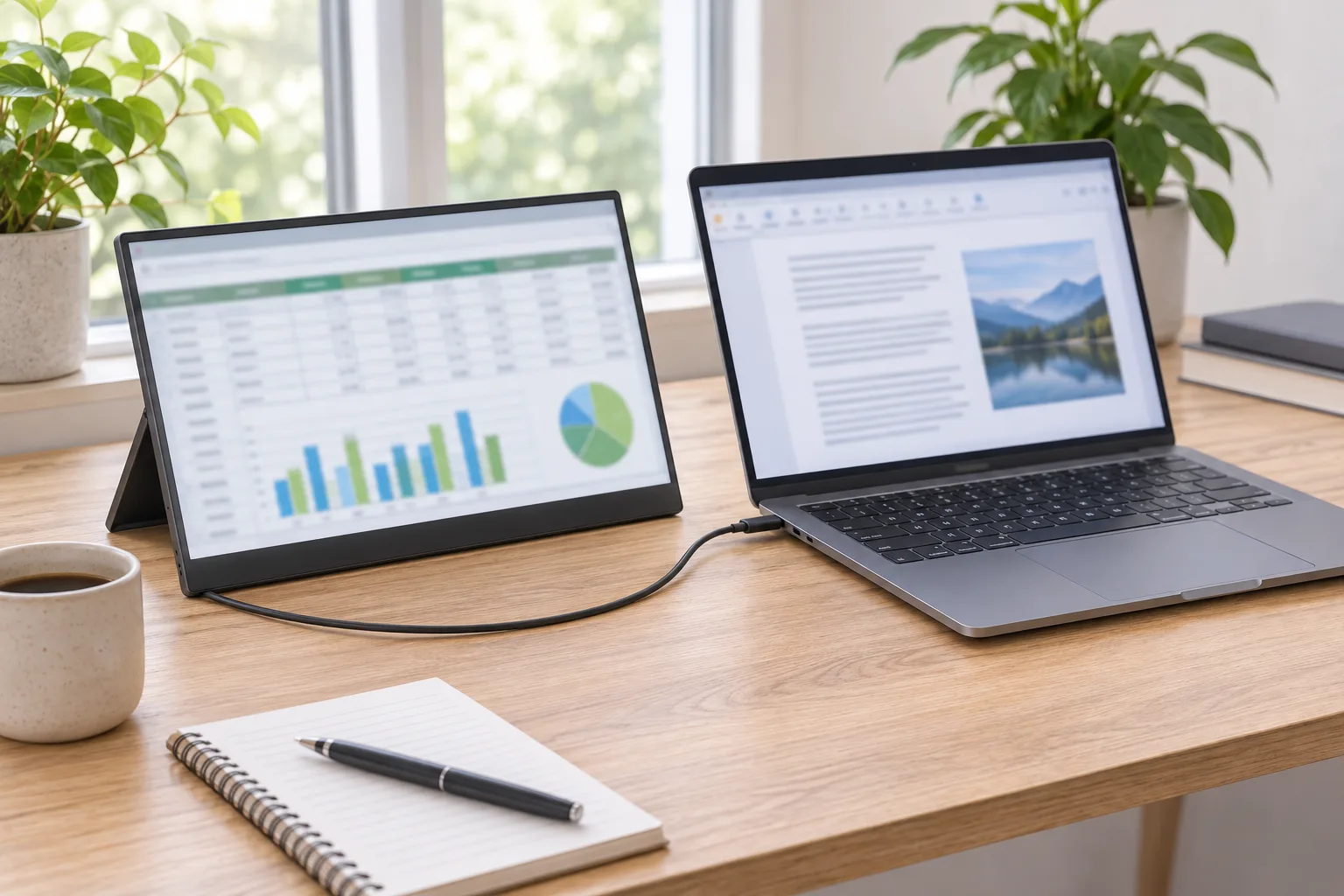
A portable monitor is a thin second screen that folds into a laptop bag. Plug it into your laptop and you can keep email on one screen and work on the other, at home, in the office or on a train table. For most people a 15.6 inch Full HD screen with USB-C is the right choice. Spend more for a bigger screen or 4K only if you know you need it.
Here are our picks. Each one is in stock, priced close to or below other UK shops, and over £150, so delivery is free.
Will it work over one USB-C cable?
This is the question that matters most, and the answer depends on your laptop, not the monitor.
A portable monitor can run from a single USB-C cable that carries the picture, the power and the touch signal. For that, your laptop's USB-C port must do two things:
- Output video. This is called DisplayPort Alt Mode. Thunderbolt 3, Thunderbolt 4 and USB4 ports always do it. Plain USB-C ports sometimes don't.
- Supply power. Most laptops with video over USB-C can also power a portable screen. If the picture flickers or the screen keeps turning off, it isn't getting enough power.
How to check your laptop: look for a small DisplayPort symbol (a rectangle with a notch) or a lightning bolt next to the USB-C port. If there's no symbol, search your laptop's model number with "USB-C DisplayPort". Cheaper laptops often have a USB-C port that only charges and copies files.
Use the right cable. Verbatim says its monitors need a USB-C cable rated at 10Gbps or faster (USB 3.2 Gen 2), and that slower cables won't carry video. Thunderbolt and USB4 cables work too. A phone charging cable usually won't. Use the one in the box.
If power runs short: plug the monitor's power supply into its other USB-C port. The Verbatim monitors come with one, and it also helps on long days so your laptop battery isn't feeding two screens.
No USB-C video? Use HDMI
If your laptop's USB-C port can't output video, or it only has HDMI, you can still use a portable monitor. Every one of our picks has an HDMI input: full-size on the Verbatim screens, mini HDMI on the ViewSonic TD1655 and the Verbatim Dual.
- HDMI only carries the picture and sound, not power. Plug the monitor into its power supply, or a USB charger, as well.
- Touch needs a USB cable too. HDMI has no way to send touch back to the laptop, so connect a USB cable from the laptop to the monitor for touch. The Full HD Verbatim models include a USB-A to USB-C cable for this.
- 4K over HDMI 1.4 is limited. The Verbatim 4K screens have HDMI 1.4, which carries 4K at up to 30Hz. That feels sluggish when you move the mouse, so use USB-C for 4K at 60Hz.
- Two screens over one HDMI cable won't extend separately. Verbatim says that over HDMI its Dual model shows the same picture on both screens, or one picture stretched across them.
Do you need a touchscreen?
Most portable monitors we sell are touchscreens, and touch does earn its place in a few situations:
- Showing something to a client or colleague across a table, who can scroll or tap without borrowing your mouse.
- Presentations, where you can swipe through slides on the screen.
- Scribbling notes or signing documents with a finger.
- Using an Android phone or tablet with a bigger screen.
The Verbatim and ViewSonic screens here have 10-point multi-touch, so they understand swipe, scroll, drag and pinch.
Where touch doesn't help: macOS isn't designed for touch, and Verbatim notes that iPads and iPhones don't support touch on an external screen at all. If you only use a Mac or iPad, a touchscreen adds weight and cost you won't use. The Verbatim Dual has no touch, and our full range of monitors includes non-touch portable screens too.
What size and resolution?
| Monitor | Size | Resolution | Weight | Brightness | Price |
|---|---|---|---|---|---|
| Verbatim 14" FHD Touch | 14" | 1920 x 1080 | 990g | 220 to 250 nits | £158.99 with free delivery |
| Verbatim 15.6" FHD Touch | 15.6" | 1920 x 1080 | 1,180g | 250 nits | £178.99 with free delivery |
| ViewSonic TD1655 | 16" (15.6" viewable) | 1920 x 1080 | 960g | 250 nits | £252.99 with free delivery |
| Verbatim 15.6" 4K Touch | 15.6" | 3840 x 2160 | 1,230g | 350 nits | £243.99 with free delivery |
| Verbatim 17.3" FHD Touch | 17.3" | 1920 x 1080 | 1,630g | 300 nits | £293.99 with free delivery |
| Verbatim 17.3" 4K Touch | 17.3" | 3840 x 2160 | 1,640g | 400 nits | £366.99 with free delivery |
| Verbatim 15.6" Dual | 2 x 15.6" | 1920 x 1080 each | 1,748g | 220 to 250 nits | £225.99 with free delivery |
Specifications and weights from each manufacturer.
- Match your laptop. A 15.6 inch portable monitor next to a 15.6 inch laptop looks tidy and text is the same size on both.
- 14 inch is the one to carry every day. It's the lightest here and fits small bags.
- 17.3 inch gives noticeably more room but weighs well over a kilo and a half. Think of it as a second desk screen that packs away.
- Full HD is plenty at 14 to 16 inches for documents, email and video. 4K is sharper for photos and small text, but Windows and macOS will usually scale it up, so you gain clarity rather than space.
- Brightness: 250 nits is fine indoors. If you sit by a bright window, the 350 and 400 nit 4K models cope better.
Stands, cases and carrying
A portable monitor has no proper stand, so check how it stands up and how it travels:
- Verbatim touch models: a built-in kickstand on the back that tilts from flat up to 85 degrees, an aluminium case and a neoprene sleeve in the box.
- ViewSonic TD1655: a fold-out aluminium stand that tilts up to 60 degrees, a metal case and a detachable magnetic cover that protects the screen and stops it sliding on a slippery desk.
- Verbatim Dual: the two screens sit one above the other, and it has VESA 75 x 75 mounting holes, so it can go on a monitor arm.
Screen height matters. A kickstand puts the screen low on the desk, so you look down at both screens. For long days, raise the laptop and the portable monitor a little on a stand or a few books, and use a separate keyboard and mouse.
The sleeve protects against scratches, not drops. In a bag, keep the monitor in its sleeve and put it in the laptop compartment or next to the laptop, never loose with chargers and keys. If your bag has no room, see our laptop sleeves and laptop backpacks.
Setting it up on Windows and Mac
Windows 11 and 10
- Connect the monitor with USB-C, or with HDMI plus power. It should light up within a few seconds.
- Press Windows key + P and choose Extend, so the portable screen becomes extra space rather than a copy.
- Open Settings, System, Display. Drag the two screen boxes so they match where the monitor sits on your desk, left or right of the laptop.
- If text is a different size on each screen, change Scale for each display on the same page.
- If touch works on the wrong screen, search Windows for Calibrate the screen for pen or touch input, choose Setup and tap the portable screen when asked.
macOS
- Connect with USB-C or Thunderbolt. Macs with only USB-C ports can use HDMI through an adapter.
- Open System Settings, Displays, then Arrange, and drag the screens to match your desk.
- In the Use as menu, choose Extended display, or pick mirroring to show the same picture on both.
One external screen limit: MacBook Air models with an M1 or M2 chip, and the 13 inch MacBook Pro with an M1 or M2 chip, support only one external display. A portable monitor counts as that one, so it won't work alongside a desk monitor on those Macs.
Phones, tablets and consoles
Android phones and tablets with USB-C video output can show their screen on a portable monitor, and touch works on many of them. Games consoles with HDMI out can use the HDMI input, with the monitor plugged into power.
How we chose these monitors
We only recommend screens we sell at a fair price compared with other UK shops. On 26 November 2026 every pick in this guide was within 15% of the lowest UK delivered price we could find for the same model, and most were level with it or below. We left out portable monitors we sell that were dearer than that, or that we couldn't compare fairly.
The facts here come from each manufacturer's specifications. We haven't run our own hands-on tests, so we don't make claims beyond what the makers state. Prices and stock update every time this page is built.
Ordering for Christmas? Delivery is £4.99, or free on orders of £150 or more, which covers every monitor here. Order by 3pm on Tuesday 22 December for delivery on Wednesday 23 December. The final cut-off is 3pm on Wednesday 23 December for Christmas Eve. See our Christmas delivery dates.
Setting up a full home office? Our office desk setup page brings together monitors, keyboards and mice. Still choosing the laptop? Read our refurbished business laptops guide.
More guides: Portable monitors · Gifts for Computer Geeks and Programmers UK 2026 · Tech Gifts for Dad: Christmas 2026 UK
Frequently asked questions
Can I use a portable monitor as a second screen for my laptop?
Yes, that is what most people buy one for. Connect it by USB-C or HDMI, then choose Extend (Windows key + P on Windows, or System Settings, Displays on a Mac) so you can drag windows across to it.
Why does my portable monitor say no signal over USB-C?
Usually the laptop's USB-C port does not output video, or the cable is a charging cable that cannot carry a picture. Try the cable from the box, try another USB-C port, or use HDMI with the monitor plugged into power.
Does a portable monitor need its own power?
Over USB-C, usually not, because the laptop powers it through the same cable. Over HDMI, yes. Plug it into its power supply if the screen flickers, turns off, or your laptop battery drains too fast.
Does a touchscreen portable monitor work with a Mac?
The screen works over USB-C, but macOS is not designed for touch, so do not buy a touch model for a Mac alone. Verbatim notes that iPads and iPhones do not support touch on an external screen.
Is 4K worth it on a portable monitor?
Only if you edit photos or want very sharp small text. At 14 to 16 inches Full HD looks clear for everyday work, uses less power and costs less. The 4K models here are also brighter, which helps near a window.
Can I use two portable monitors with one laptop?
Often, yes, if the laptop has two USB-C ports with video output, or one USB-C plus HDMI. Some laptops, including M1 and M2 MacBook Air models, support only one external screen. A two-screen model like the Verbatim Dual is another option on Windows.