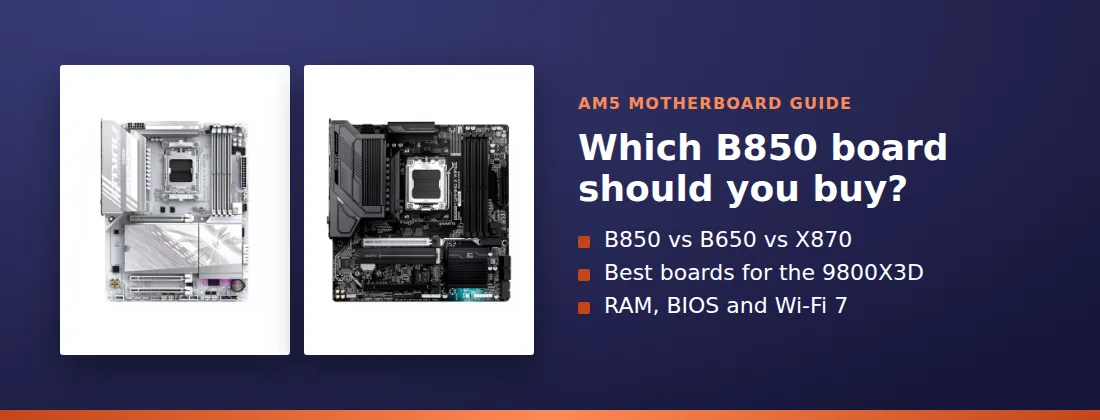
Quick answer: which AM5 motherboard should you buy?
For most new AMD Ryzen builds, a B850 board is the right choice. It supports every AM5 processor, including the Ryzen 7 9800X3D, has a PCIe 5.0 slot for the fastest SSDs, and costs far less than X870. Here's how we'd choose from the Gigabyte range:
| If you want | Our pick | Price | Why |
|---|---|---|---|
| The cheapest sensible B850 | B850M Force WiFi6E | £136.99 (£141.98 delivered) | PCIe 5.0 M.2, 2.5Gb LAN, three M.2 slots. Only two memory slots, so best with a 65 to 120W processor |
| Best-value Micro-ATX with Wi-Fi | B850M Gaming X WiFi6E | £173.99 with free delivery | Strong power delivery with no power cap in independent testing, 2.5Gb LAN, three display outputs |
| Best Micro-ATX overall, or a white build | B850M Aorus Elite WiFi6E ICE | £186.99 with free delivery | 12-phase power, 20Gbps front USB-C, recommended by Hardware Unboxed |
| Budget ATX with Wi-Fi 7 | B850 Eagle WiFi7 ICE | £176.99 with free delivery | Wi-Fi 7, 2.5Gb LAN, three M.2 slots, an extra PCIe 4.0 slot |
| Best ATX all-rounder | B850 Aorus Elite WiFi7 ICE | £228.99 with free delivery | 14-phase power, 12 rear USB ports, 20Gbps front USB-C, Wi-Fi 7 |
| Small Mini-ITX build | B850I Aorus Pro | £252.99 with free delivery | Wi-Fi 7 and a PCIe 5.0 M.2 slot on a 17cm board |
| USB4 and PCIe 5.0 graphics | X870 Eagle WiFi7 | £207.99 with free delivery | A small step up from the B850 Eagle WiFi7 ICE |
The rest of this guide explains the chipsets, what changed between B650 and B850, when X870 is worth it, and the memory and BIOS details that catch people out.
AM5 chipsets explained: A620, B840, B650, B850, X870 and X870E
The chipset decides what the board can offer. This is AMD's own specification, simplified:
| Chipset | Graphics slot | Fastest M.2 slot | CPU overclocking | USB4 | In short |
|---|---|---|---|---|---|
| A620 | PCIe 4.0 | PCIe 4.0 | No | Optional | Basic boards for 65W-class processors |
| B840 | PCIe 4.0 | PCIe 4.0 | No | Optional | A newer entry chipset, close to A620 |
| B650 | PCIe 4.0 | PCIe 4.0 (5.0 optional) | Yes | Optional | The previous mainstream chipset, now being phased out |
| B850 | PCIe 4.0 (5.0 on many boards) | PCIe 5.0 | Yes | Optional | Today's mainstream choice |
| X870 | PCIe 5.0 | PCIe 5.0 | Yes | Standard | B850 plus USB4 and PCIe 5.0 graphics |
| X870E | PCIe 5.0 | PCIe 5.0 | Yes | Standard | Twice the USB, SATA and expansion of X870 |
AMD says every AM5 motherboard works with every AM5 processor: Ryzen 7000, 8000 and 9000. Older boards may need a BIOS update for the newest chips.
B650 vs B850: what actually changed?
Less than the names suggest. AMD's specification gives B650 and B850 the same number of USB ports, SATA ports and PCIe lanes, and reviewers note they use the same chipset silicon. The one guaranteed difference:
- Every B850 board has a PCIe 5.0 M.2 slot for the fastest NVMe SSDs. On B650 that was optional, and many boards only had PCIe 4.0.
In practice B850 boards also tend to be newer designs, often with Wi-Fi 7, 2.5Gb LAN, tool-free M.2 and graphics card release catches, and a BIOS ready for Ryzen 9000 out of the box.
Is B650 still worth buying? Yes, if the price is right. AMD started phasing B650 out in August 2025 to move makers onto B850, but a B650 board is just as good for gaming. A PCIe 4.0 SSD is fast enough for games and everyday use. Check the board's CPU support list and expect to update the BIOS if it's older stock and you're fitting a Ryzen 9000 chip. The Gigabyte B650M D3HP is £104.99 (£109.98 delivered).
Shop motherboards (285 in stock)
B850 vs X870: is X870 worth the extra?
X870 adds two things to B850:
- USB4 (40Gbps) as standard, useful for fast external drives and some docks.
- A guaranteed PCIe 5.0 graphics slot. Current graphics cards don't need PCIe 5.0 for gaming, and many Gigabyte B850 boards already run their graphics slot at PCIe 5.0.
The chipset's own USB and SATA counts are the same as B850, and both overclock. So for a gaming PC, X870 rarely changes anything you'd notice. It's worth it if you want USB4, or if the price gap is small: at our prices the X870 Eagle WiFi7 (£207.99 with free delivery) sits close to the B850 Eagle WiFi7 ICE (£176.99 with free delivery). X870E makes sense for heavy workstation builds with lots of drives and devices.
The Gigabyte B850 range compared
Specifications from Gigabyte's manuals. Power delivery figures from Gigabyte and independent reviews.
| Board | Size | Power stages | Memory slots | M.2 (PCIe 5.0) | Front USB-C | LAN | Wi-Fi | Price |
|---|---|---|---|---|---|---|---|---|
| B850M Force / Force WiFi6E | mATX | 8+2+2 | 2 | 3 (1) | n/a | 2.5Gb | None / 6E | £127.99 (£132.98 delivered) / £136.99 (£141.98 delivered) |
| B850M Eagle WiFi6E | mATX | 8+2+2 | 4 | 2 (1) | 10Gbps | 2.5Gb | 6E | £144.99 (£149.98 delivered) |
| B850M Gaming X WiFi6E | mATX | 10+2+2 | 4 | 2 (1) | 10Gbps | 2.5Gb | 6E | £173.99 with free delivery |
| B850M Aorus Elite WiFi6E / ICE | mATX | 12+2+2 | 4 | 2 (1) | 20Gbps | 2.5Gb | 6E | £189.99 with free delivery / £186.99 with free delivery |
| B850 Eagle ICE | ATX | 8+2+2 | 4 | 3 (1) | 5Gbps | 2.5Gb | None | £158.99 with free delivery |
| B850 Eagle WiFi7 ICE | ATX | 8+2+2 | 4 | 3 (1) | 5Gbps | 2.5Gb | 7 | £176.99 with free delivery |
| B850 Eagle WiFi6E | ATX | 8+2+2 | 4 | 3 (1) | 5Gbps | 1Gb | 6E (Intel) | £183.99 with free delivery |
| B850 Gaming X WiFi6E | ATX | 12 stages | 4 | 3 (1) | 20Gbps | 2.5Gb | 6E | currently sold out |
| B850 Aorus Elite WiFi7 ICE / black | ATX | 14+2+2 | 4 | 3 (1) | 20Gbps | 2.5Gb | 7 | £228.99 with free delivery / currently sold out |
| B850I Aorus Pro | Mini-ITX | 8 stages | 2 | 2 (1) | 10Gbps | 2.5Gb | 7 | £252.99 with free delivery |
ICE versions are white. All have Gigabyte's Q-Flash Plus for updating the BIOS from a USB stick.
Gigabyte B850 Aorus Elite WiFi7 (and ICE)
The most searched board in the range, and for good reason. It has 14 power stages, three M.2 slots (one PCIe 5.0), 12 rear USB ports, a 20Gbps front USB-C header, 2.5Gb LAN and Wi-Fi 7, plus tool-free catches for the graphics card and M.2 drives and a physical Q-Flash Plus button. Tom's Hardware called it "a good overall value", noting the two extra expansion slots are only PCIe 3.0 x1 and there's no 40Gbps USB. Hardware Unboxed rated the ICE version a "solid offering". Its power delivery comfortably handles a Ryzen 9 9950X.
Gigabyte B850 Eagle WiFi6E vs B850 Eagle WiFi7 ICE
Easy to mix up, but not the same board underneath. The Eagle WiFi6E has 1Gb LAN and Wi-Fi 6E using an Intel AX210 card, which is very well supported, including in Linux. The Eagle WiFi7 ICE has 2.5Gb LAN, Wi-Fi 7 and an extra PCIe 4.0 x4 slot. In Hardware Unboxed's testing with a 170W Ryzen 9 9950X, the Eagle WiFi6E's power delivery ran hot (83°C) without throttling. For most buyers the Eagle WiFi7 ICE (£176.99 with free delivery) is the better board; the Eagle WiFi6E (£183.99 with free delivery) suits anyone who specifically wants the Intel Wi-Fi card.
Best Micro-ATX: B850M Gaming X WiFi6E and B850M Aorus Elite WiFi6E
Micro-ATX doesn't mean weaker. Hardware Unboxed found the B850M Gaming X WiFi6E "a significant upgrade" over Gigabyte's cheapest boards with no power cap, and recommended the B850M Aorus Elite WiFi6E ICE, calling it "a great option for white-themed builds". Both have stronger power delivery than the ATX Eagle boards.
Best motherboard for the Ryzen 7 9800X3D (and 9850X3D)
You don't need an expensive one. The 9800X3D and the newer 9850X3D are rated at 120W. Hardware Unboxed tested 47 B850 boards and found that "with a 120W or lower processor, all tested boards deliver the same performance."
So choose on features, not power delivery: the number of M.2 slots and USB ports you need, Wi-Fi, and looks. Put the money you save towards the graphics card, which matters far more for gaming. Good choices:
- B850M Gaming X WiFi6E (£173.99 with free delivery) for a compact, great-value build.
- B850 Eagle WiFi7 ICE (£176.99 with free delivery) for ATX with Wi-Fi 7.
- B850 Aorus Elite WiFi7 ICE (£228.99 with free delivery) if you want the extra USB and features.
Whatever you choose, update to the latest BIOS before first use and pair it with two sticks of DDR5-6000 memory. X3D chips are less sensitive to memory speed than other Ryzen processors, so there's no need to pay for faster kits.
Shop motherboards (285 in stock)
Running a Ryzen 9 9950X or 9950X3D? Watch for power limits
The 16-core Ryzen 9 chips draw much more power: 170W for the 9950X and 9950X3D, and 200W for the 9950X3D2. Some cheaper boards cap the power or run hot with them. In Hardware Unboxed's testing:
- The B850M DS3H has a fixed 170W limit and the B850 Gaming WiFi6 a 150W limit, which hold back a 9950X slightly.
- The B850M Eagle WiFi6E hit its 170W limit and ran at 91°C. It's fine for 65 to 120W processors, but not the one for a 16-core chip.
For a 9950X-class build choose a board with stronger power delivery: the B850 Gaming X WiFi6E, B850M Gaming X WiFi6E, B850M Aorus Elite or B850 Aorus Elite WiFi7. The same applies to other brands: check reviews for power limits before pairing a cheap board with a top chip.
Memory for AM5: DDR5-6000, EXPO and why the first boot is slow
- Use two sticks, not four. AMD rates Ryzen 9000 at DDR5-5600 with two sticks but only DDR5-3600 with four. For 32GB use 2 × 16GB; for 64GB use 2 × 32GB. Fit them in the slots the manual recommends (usually A2 and B2).
- DDR5-6000 is the sweet spot. AMD described it that way, because the memory controller can usually run in step with memory at that speed. Faster kits often switch to a slower internal ratio and gain little. A DDR5-6000 kit with AMD EXPO, enabled in the BIOS with one setting, is the usual recommendation.
- The first boot can take a minute or more. DDR5 memory "trains" itself on the first start, after a BIOS update, or after clearing the BIOS. The screen can stay black while it does. Don't switch it off; leave it to finish.
- Turn on Memory Context Restore in the BIOS afterwards. It reuses the training results so later boots are much quicker. If the PC becomes unstable with aggressive memory settings, turn it off again.
See our DDR5 memory range, or our guide to how much RAM you need for gaming.
BIOS updates and Q-Flash Plus
Updating the BIOS before you start is the single most useful thing you can do on a new AM5 build. It adds support for newer processors, improves memory compatibility and fixes bugs.
Every Gigabyte B850 board supports Q-Flash Plus: put the BIOS file on a USB stick, plug it into the marked USB port on the back, and update the board with the PC switched off. That's useful if older stock predates a processor you want to fit, such as the 9850X3D launched in January 2026.
The sensible precautions on any board are the same: update to the latest BIOS before first use, and avoid aggressive manual overclocking and voltage settings unless you know what you're doing.
The 9800X3D failure reports: what happened, and which boards to choose
From early 2025, some owners reported Ryzen 7 9800X3D processors failing to start, and a small number showed burn marks on the processor or socket. Tom's Hardware and Gamers Nexus both found that around 80% of the reported cases were on ASRock AM5 motherboards. Not every report was a confirmed dead chip; some were start-up problems.
- AMD investigated with ASRock and pointed to a memory compatibility issue in earlier BIOS versions, fixed in later updates. It later said some board makers had used settings outside its guidelines.
- ASRock released several BIOS updates, including one that lowered the processor's automatic boost power limits.
- Isolated reports continued into 2026, and no single root cause has been confirmed publicly. In November 2025 Hardware Unboxed said it would only recommend ASRock AM5 boards "if you are certain you will not be using an X3D processor anytime soon".
Already have an ASRock board? Update to the latest BIOS from ASRock's website, leave processor overclocking (PBO) on its default settings, and use memory from the board's support list.
Buying a board for an X3D processor? For peace of mind, choose a board from another maker. No similar pattern has been reported on Gigabyte's B850 range, and these all handle a 9800X3D or 9850X3D at full speed:
| Board | Size | Why | Price |
|---|---|---|---|
| Gigabyte B850M Gaming X WiFi6E | mATX | Best value with Wi-Fi; strong power delivery | £173.99 with free delivery |
| Gigabyte B850M Aorus Elite WiFi6E ICE | mATX | Recommended by Hardware Unboxed; white | £186.99 with free delivery |
| Gigabyte B850 Eagle WiFi7 ICE | ATX | Wi-Fi 7 and 2.5Gb LAN at a sensible price | £176.99 with free delivery |
| Gigabyte B850 Aorus Elite WiFi7 ICE | ATX | The best all-rounder in the range | £228.99 with free delivery |
| ASUS TUF Gaming B850M-Plus WiFi7 | mATX | ASUS's durable TUF range with Wi-Fi 7 | £224.99 with free delivery |
| MSI MAG B850 Tomahawk Max WiFi II | ATX | MSI's popular Tomahawk with strong power delivery | £283.99 with free delivery |
ASRock boards remain a good, cheaper choice for non-X3D Ryzen processors such as the Ryzen 5 9600X or Ryzen 7 9700X, which is how Hardware Unboxed still recommends them.
Wi-Fi 6E vs Wi-Fi 7 and 2.5Gb LAN: what you'll notice
- A cable is best for a desktop. Most Gigabyte B850 boards have 2.5Gb LAN, which beats either Wi-Fi standard for speed and reliability.
- Wi-Fi 6E is plenty for UK broadband. Wi-Fi 7 only helps if you have, or plan to buy, a Wi-Fi 7 router, and the gains come mainly at close range.
- The Wi-Fi 7 card on Gigabyte's B850 boards uses 160MHz channels, not the 320MHz headline figure, so the real-world jump over 6E is modest. It also needs a recent version of Windows 11; there are no Windows 10 drivers.
Micro-ATX vs ATX vs Mini-ITX
- Micro-ATX boards usually have one fewer M.2 slot and fewer expansion slots, but performance is identical and some Gigabyte Micro-ATX boards have better power delivery than the cheaper ATX ones. Ideal for most gaming PCs.
- ATX gives you three M.2 slots and more expansion. Choose it for lots of drives, capture cards or other add-in cards.
- Mini-ITX is for small cases. Expect two memory slots, two M.2 slots and a higher price.
Make sure the case fits the board, and check the CPU cooler and graphics card clearances. Our PC builder checks the parts fit together.
How long will AM5 last?
At Computex 2026 AMD confirmed it will support the AM5 socket through 2029, extending its earlier "2027 and beyond" promise. AMD has also confirmed its next generation of Zen 6 desktop processors for AM5. Board makers have said 800-series boards like B850 should support them with a BIOS update, but no maker has confirmed every model yet, so check your board's CPU support list when new chips arrive.
That makes a B850 board a sensible long-term buy: you can start with a Ryzen 5 or 7 now and drop in a faster processor later without changing the motherboard or memory.
Building a new PC? Start with our beginner's guide to building a PC, or plan the whole system in our PC builder. Also in stock: the Gigabyte B840 Eagle WiFi6E (£129.99 (£134.98 delivered)) and the A620M Gaming X (£99.99 (£104.98 delivered)) for simpler builds.
Frequently asked questions
Is B850 better than B650?
Slightly. Every B850 board has a PCIe 5.0 M.2 slot, which was optional on B650, and B850 boards ship ready for Ryzen 9000. USB, SATA and lane counts are the same. B650 is being phased out, but it is still a good gaming buy at the right price.
What is the difference between B850 and X870?
X870 adds USB4 and a guaranteed PCIe 5.0 graphics slot. Both overclock and have the same chipset USB and SATA counts. For gaming there is little practical difference.
Does B850 support the Ryzen 7 9800X3D?
Yes. Every AM5 board supports every AM5 processor. The 9800X3D is a 120W chip, so even entry-level B850 boards run it at full speed. Update to the latest BIOS first.
What is the best motherboard for a 9800X3D?
One with the features you need, rather than the most expensive. Hardware Unboxed found that with a 120W or lower processor, all 47 B850 boards it tested performed the same. The B850M Gaming X WiFi6E and B850 Aorus Elite WiFi7 are good choices.
Do B850 motherboards support PCIe 5.0 graphics cards?
Yes. Any PCIe 5.0 graphics card works in a PCIe 4.0 or 5.0 slot. AMD only requires PCIe 4.0 graphics on B850, but many Gigabyte B850 boards run the main slot at PCIe 5.0.
Does B840 support overclocking?
Memory overclocking with EXPO, yes. Processor overclocking, no. B840 also has no PCIe 5.0.
Do I need to update the BIOS for Ryzen 9000?
On B650, X670 and A620 boards made before Ryzen 9000, possibly. On B850 usually not, but newer chips such as the 9850X3D may need a newer BIOS than older stock shipped with. Gigabyte Q-Flash Plus updates it from a USB stick with the PC switched off.
Is an ASRock motherboard safe for a 9800X3D?
Most reported 9800X3D failures in 2025 were on ASRock AM5 boards. AMD and ASRock pointed to BIOS and memory settings and released BIOS fixes, but no single root cause has been confirmed. If you already own one, update to the latest BIOS and keep PBO at default. If you are buying for an X3D processor, a Gigabyte, MSI or ASUS B850 board avoids the question.
What RAM is best for AM5?
Two sticks of DDR5, ideally DDR5-6000 with AMD EXPO. AMD officially rates four sticks at only DDR5-3600, so 2 x 16GB or 2 x 32GB is better than four sticks.
Why does my new AM5 PC take ages to boot the first time?
DDR5 memory training. It can take a minute or more on the first boot or after a BIOS change, sometimes with a black screen. Leave it running. Memory Context Restore in the BIOS shortens later boots.
How long will AM5 be supported?
AMD confirmed at Computex 2026 that AM5 will be supported through 2029, and that Zen 6 processors will use AM5. Check your board's CPU support list for future chips.